
 Home
Home Download
 News
News Mastodon
 Bluesky
 X
X Summary - 18 Years
 Summary - 17 Years
 Summary - 16 Years
 Summary - 15 Years
 Summary - 13 Years
 Summary - 11 Years
 Summary - 10 Years
 Resources
 Technical Reference
 Scripting Tutorial
 Video Tutorials
 Wiki Pages
 Image Gallery
 Color Presets
 Using libgmic
 G'MIC Online
 Community
 Discussion Forum (Pixls.us)
 GimpChat
 IRC
IRC Report Issue
| Table of Contents ▸ List of Commands ▸ Reptorian's Commands ▸ rep_channels_overblur_overline_blur_sharpen | ◀ rep_val2order | rep_decompose_bitplanes ▶ |
rep_channels_overblur_overline_blur_sharpen
Arguments:
- method_a={ 0=blur | 1=sharpen | 2=overblur | 3=overline },0%<_effect_factor_a[%]<=100%,_multiplication_factor>0,_blending_mode,0<_blending_opacity[%]<=100%...
Description:
Apply BSOO filtering over channels within images.blending_mode can be { add | alpha | and | average | burn | darken | difference | divide | dodge | exclusion | freeze | grainextract | grainmerge | hardlight | hardmix | interpolation | lighten | linearburn | linearlight | multiply | normal | negation | or | overlay | pinlight | reflect | screen | shapeaverage | softburn | softdodge | softlight | stamp | subtract | vividlight | xor }.
Note on 3 Channels Color Spaces (RGB, HSV...) input -
If you want to perform the same setting on all channel at once, simply use 5 arguments.If you want to perform same setting on all color channel at once, but separate for gray and alpha. Use 5*(contain_gray+contain_color+contain_alpha) arguments.
If you want to perform separate setting on different channels. You can use - to disable individual channel, or empty space to skip color channels altogether. If you have enabled support for manipulating color channel, yes, you must consider the number of arguments.
Special note: You can make this filter operate on CMYK space by writing cmyk as last argument.
Author : Reptorian.
Default values:
_effect_factor=100%,_multiplication_factor=100%,_blending_mode=21,_blending_opacity=100%,_effect_boundary=1
Example of use:
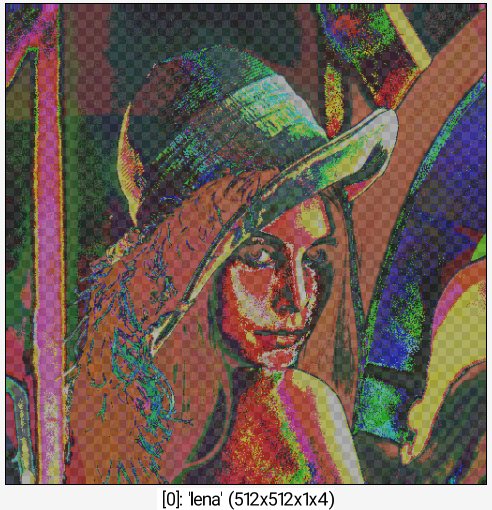
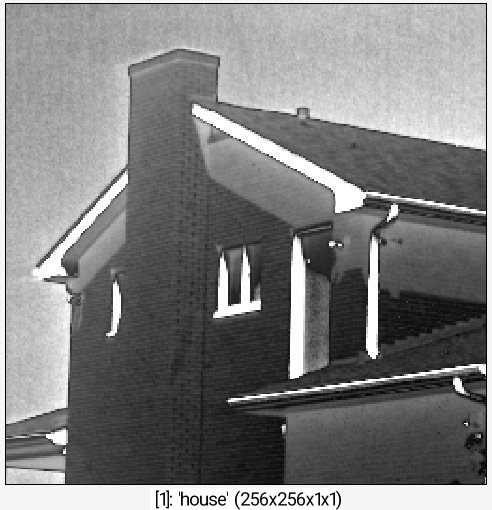
sp lena shape_cupid 512 blur. 10 *. 255 cut. 0,255 a c sp house rep_channels_blur_sharpen_overblur_overline 2,150,1.5,normal,100%,2,100,1,xor,100%,1,50,1,grainextract,100%