
 Home
Home Download
 News
News Mastodon
 Bluesky
 X
X Summary - 17 Years
 Summary - 16 Years
 Summary - 15 Years
 Summary - 13 Years
 Summary - 11 Years
 Summary - 10 Years
 Resources
 Technical Reference
 Scripting Tutorial
 Video Tutorials
 Wiki Pages
 Image Gallery
 Color Presets
 Using libgmic
 G'MIC Online
 Community
 Discussion Forum (Pixls.us)
 GimpChat
 IRC
IRC Report Issue
G'MIC 4.0: Squaring the Pixel, Easier Than Ever!
By David Tschumperlé.July 30, 2026
Eighteen years after its debut, G’MIC, our free and open-source framework for digital image processing, reaches a major milestone with the release of a new major version, numbered 4.0 — the version of maturity!
As we do every year, this is the opportunity to look back at the recent developments of the project since our last update published in August 2025.
Note: Click on the images to view them in full resolution, or to watch a corresponding video when they feature the icon

1. G’MIC: An Open-Source Framework for Digital Image Processing
The G'MIC project (GREYC's Magic for Image Computing) was born in July 2008 and grew within the IMAGE team of the GREYC laboratory in Caen, France (a Joint Research Unit under the joint authority of CNRS, ENSICAEN, and the University of Caen).Its purpose: to provide a free, open, and extensible framework for the manipulation, processing, and creation of digital images. To achieve this, it relies on the features of the CImg open-source C++ image processing library, developed since 1999—first at INRIA, and later within the IMAGE team of the GREYC (also by yours truly).
At the heart of the project lies a dedicated scripting language interpreter, the "G'MIC language", specifically designed for rapid prototyping of new image processing algorithms and chaining them into custom pipelines (or filters). Built around this core are several interfaces that grant users access to hundreds of predefined image processing operators. These include the gmic command-line tool, the G'MIC Online web service, and the G'MIC-Qt plugin, which can be integrated into various image editing and creation software such as GIMP, Krita, digiKam, Paint.net, Adobe Photoshop, or Affinity Photo. Today, this plugin is the project's most popular interface, averaging over 1,200 daily downloads, a figure that has been steadily growing over the past year. It offers over 640 varied filters to tweak your images and expand the capabilities of host editing software, making it particularly appreciated by digital artists.
This major 4.0 release marks a turning point for the project: the syntax of the G'MIC language, the interpreter code, and the associated image-processing algorithms are now mature and well-proven. Therefore, we intend to slow down the pace of new releases and feature additions a bit, in order to focus on the stability, robustness, and performance of the framework.
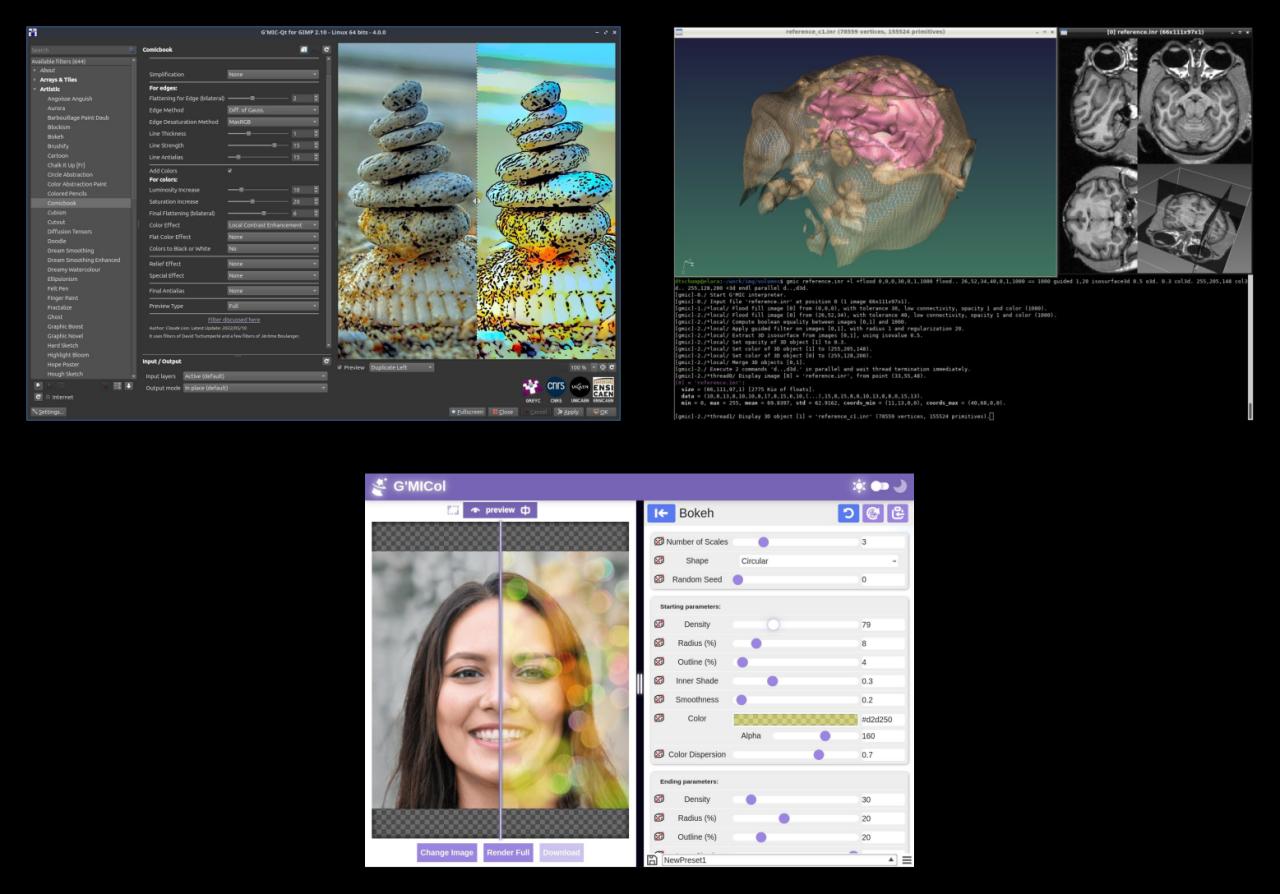
Fig. 1.1. Overview of some of the interfaces offered by the G'MIC project: G'MIC-Qt plugin for GIMP (top left), CLI tool gmic (top right), G'MIC Online web service (bottom).
2. New Filters in the G'MIC-Qt Plugin
Regarding the G'MIC-Qt plugin, most of the new features focus on the introduction of new image processing filters. Version 4.0 brings the total number of filters to 644, all directly accessible from the graphical interface. Below is a list of the latest additions.2.1. "Rendering / Pixel Stretch" Filter
The "Rendering / Pixel Stretch" filter allows the user to select a "strip of pixels" and duplicate it across the image along a customizable path, defined by two spline curves (one for each edge of the strip).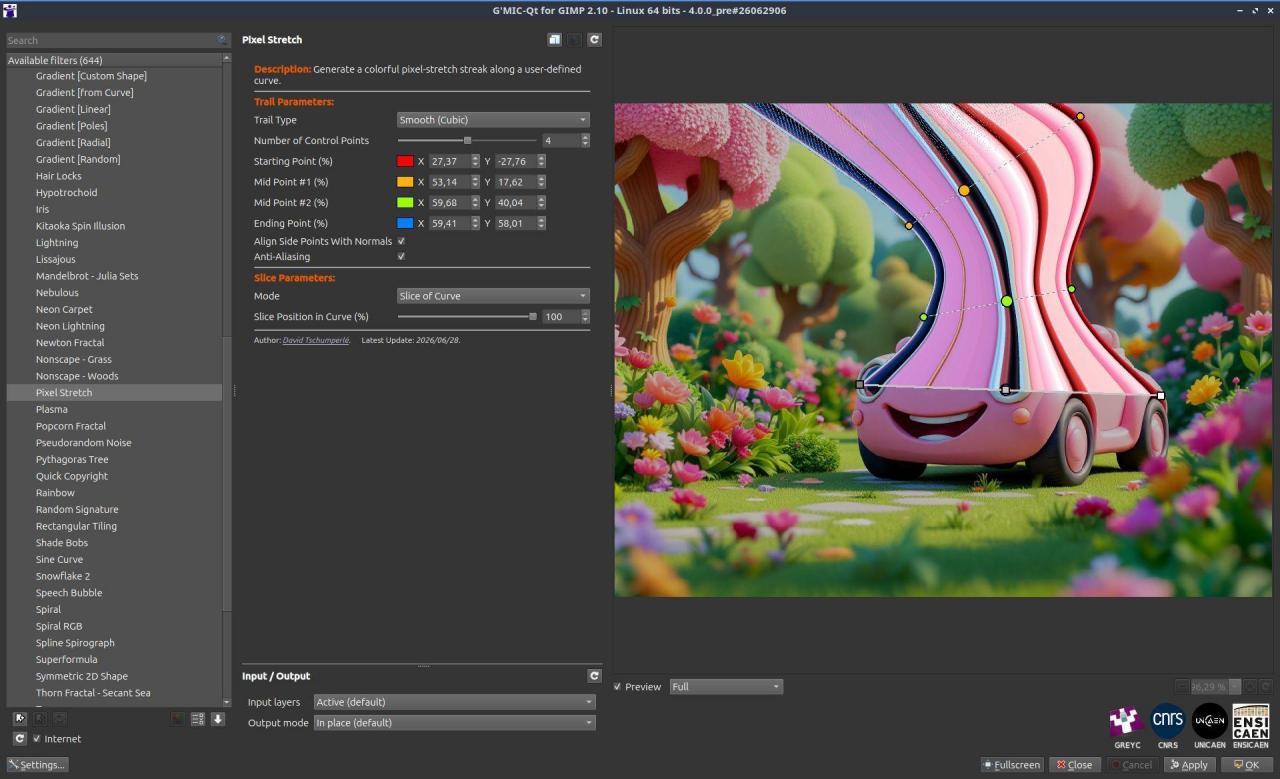
Fig. 2.1.1. The "Rendering / Pixel Stretch" filter as it appears in the G'MIC-Qt plugin.
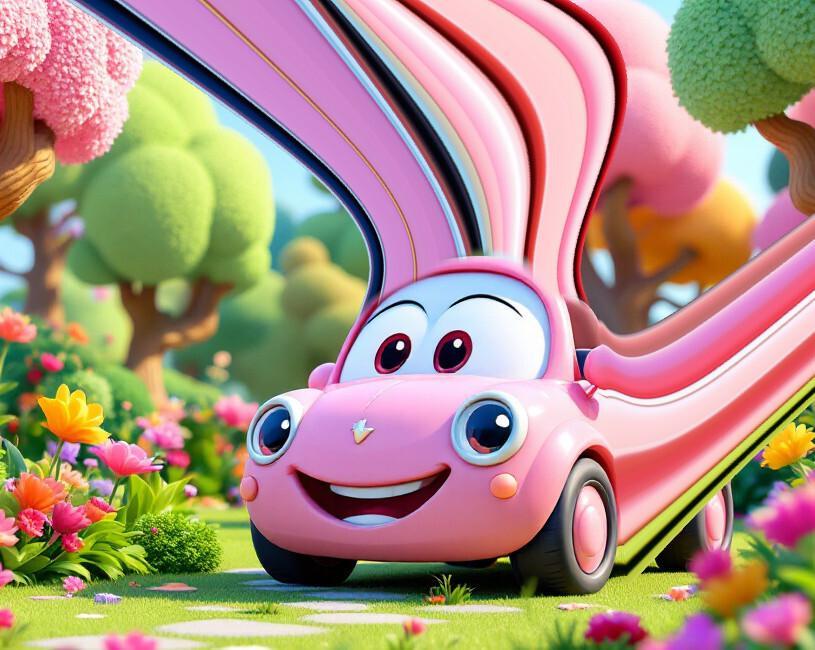
Fig. 2.1.2. Render example from the "Rendering / Pixel Stretch" filter, featuring two pixel trails added by the filter.
This effect gives the impression that the image has been stretched locally, much like an elastic dough. It can be used to suggest or stylize movement in an image, as shown in the example below (taken from the video tutorial that Miguel Pineau specifically dedicated to this filter). It is also highly suitable for glitch art or creating abstract textures.
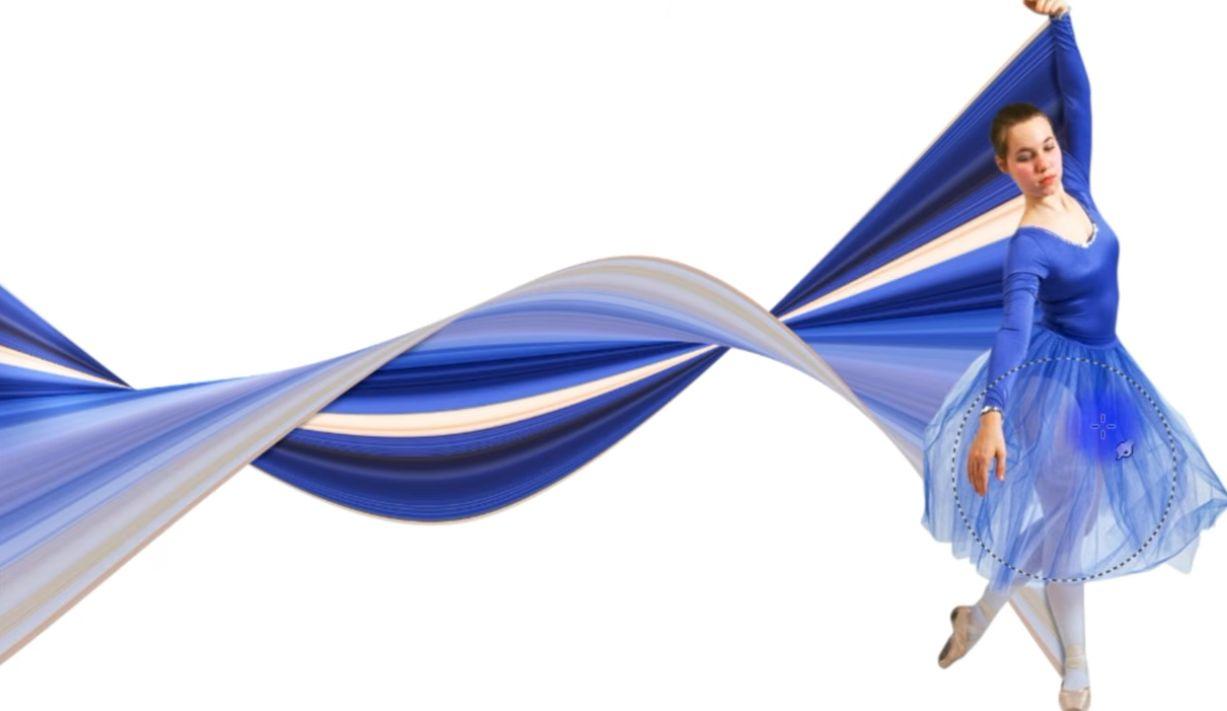
Fig. 2.1.3. The "Rendering / Pixel Stretch" filter used to stylize a dancer's movement (Credits: Miguel Pineau).
2.2. "Rendering / Gradients [Poles]" Filter
Also in the "Rendering" section, we have the new "Rendering / Gradients [Poles]" filter. It generates color gradients by spatially interpolating colored key points, whose positions and colors are chosen by the user. The interpolation uses radial basis functions, resulting in smooth and harmonious color transitions. Users can also select the color space in which the interpolation is computed. The animation below illustrates how the filter works within the plugin.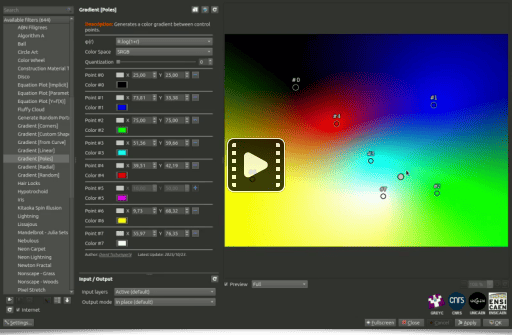
Fig. 2.2.1. The "Rendering / Gradients [Poles]" filter creates potentially complex spatial color gradients from just a few control points.
2.3. "Artistic / Marker Drawing" Filter
Next is the "Artistic / Marker Drawing" filter, which, as its name suggests, attempts to redraw an input image using colored marker strokes. The underlying algorithm draws random colored splines on a white canvas along the contours of the geometric structures found in the original image.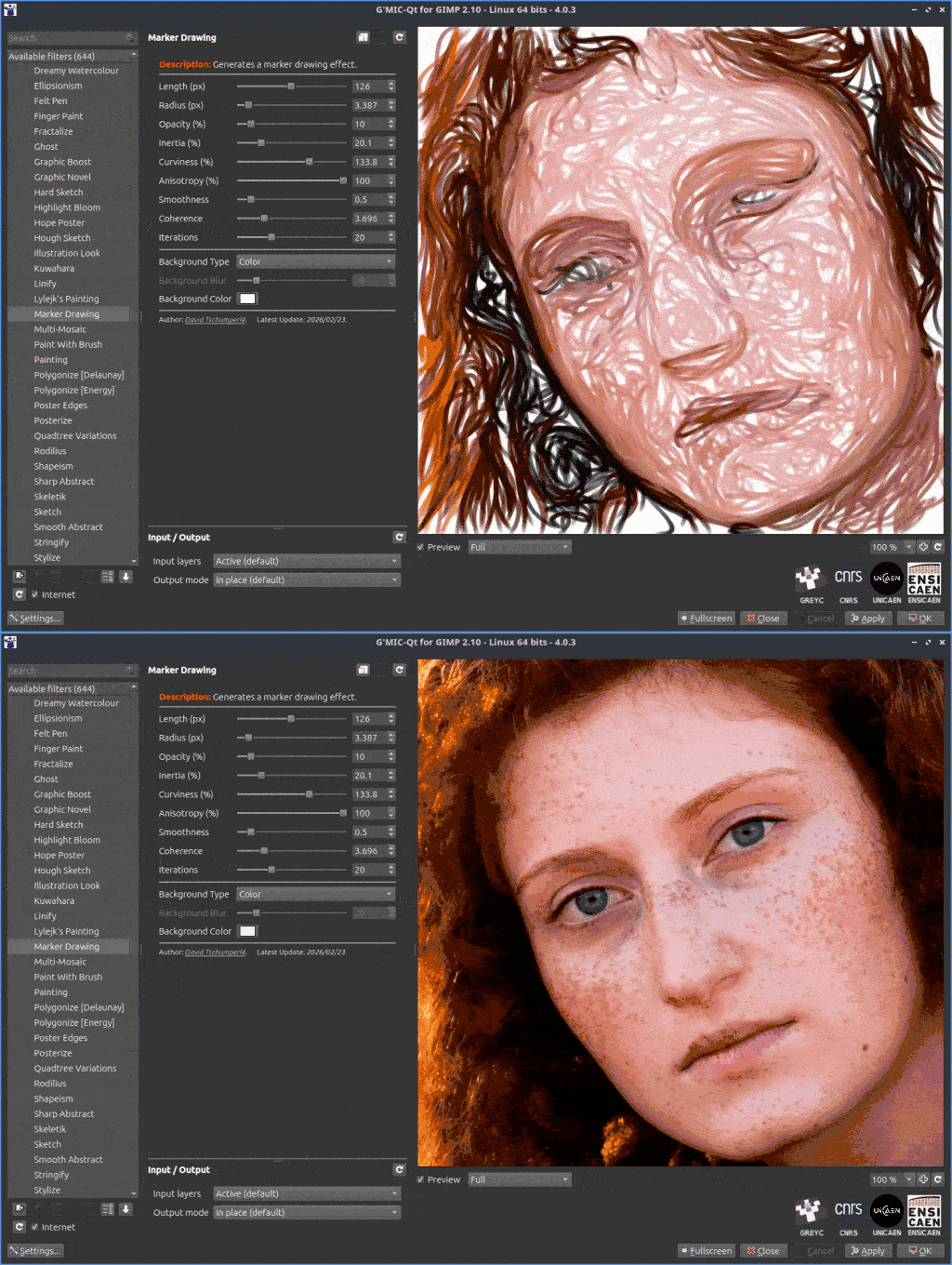
Fig. 2.3.1. The "Artistic / Marker Drawing" filter redraws an image, simulating the use of colored felt-tip pens.
The filter's numerous adjustable parameters allow for a wide variety of potential renders, ranging from realistic to highly abstract, as shown in the comparison below:
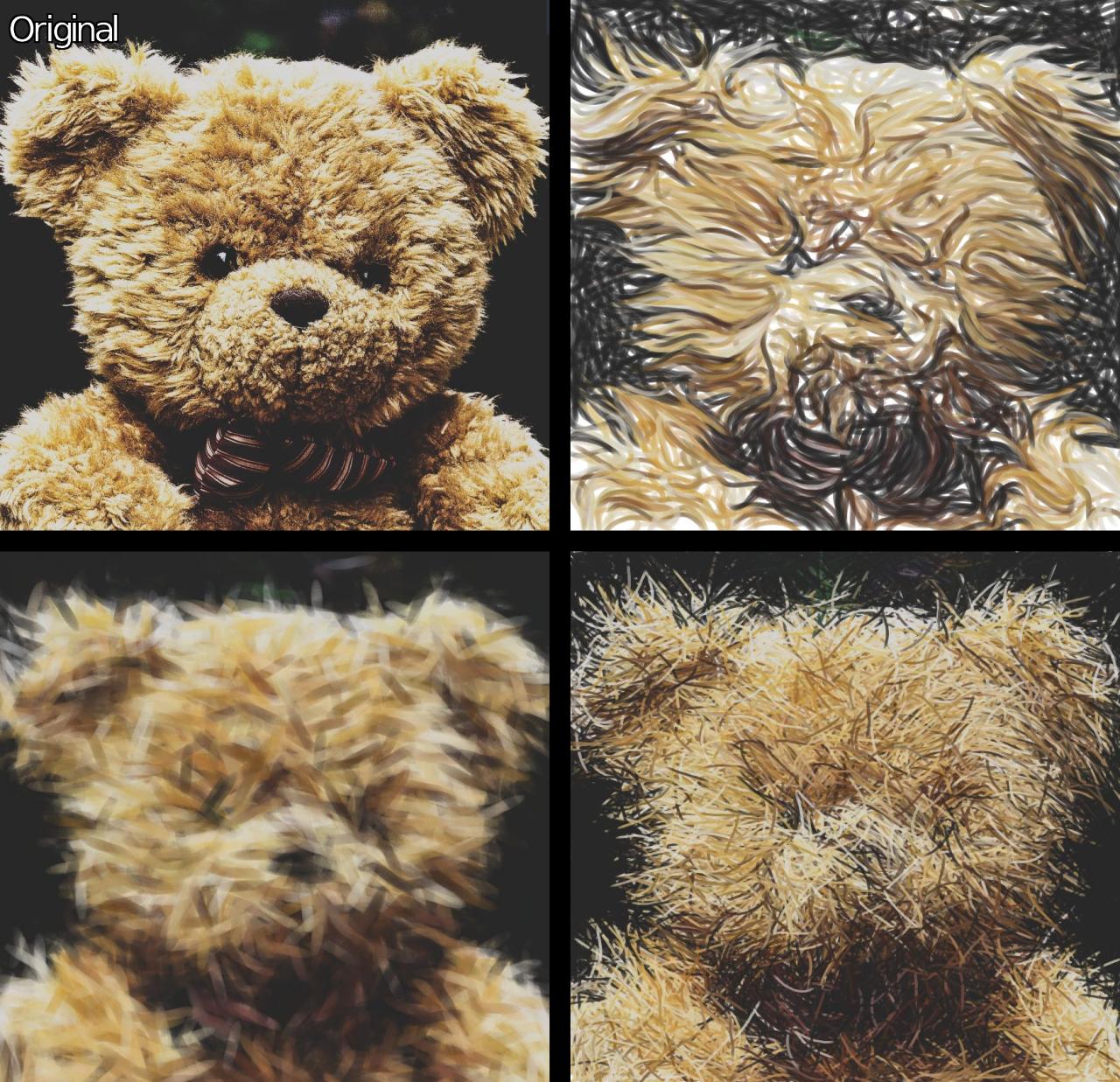 _Fig. 2.3.2.
Three different render styles from the "Artistic / Marker Drawing" filter, using three distinct parameter sets._
2.4. "Deformations / Heightfield Warp" Filter
Let's shift focus with the "Deformations / Heightfield Warp" filter, which creates a 3D effect by warping an input image as if it were mapped onto a parametrically defined height map. An optional lighting effect, based on Phong shading, can be enabled to enhance the perceived 3D volume generated by this filter.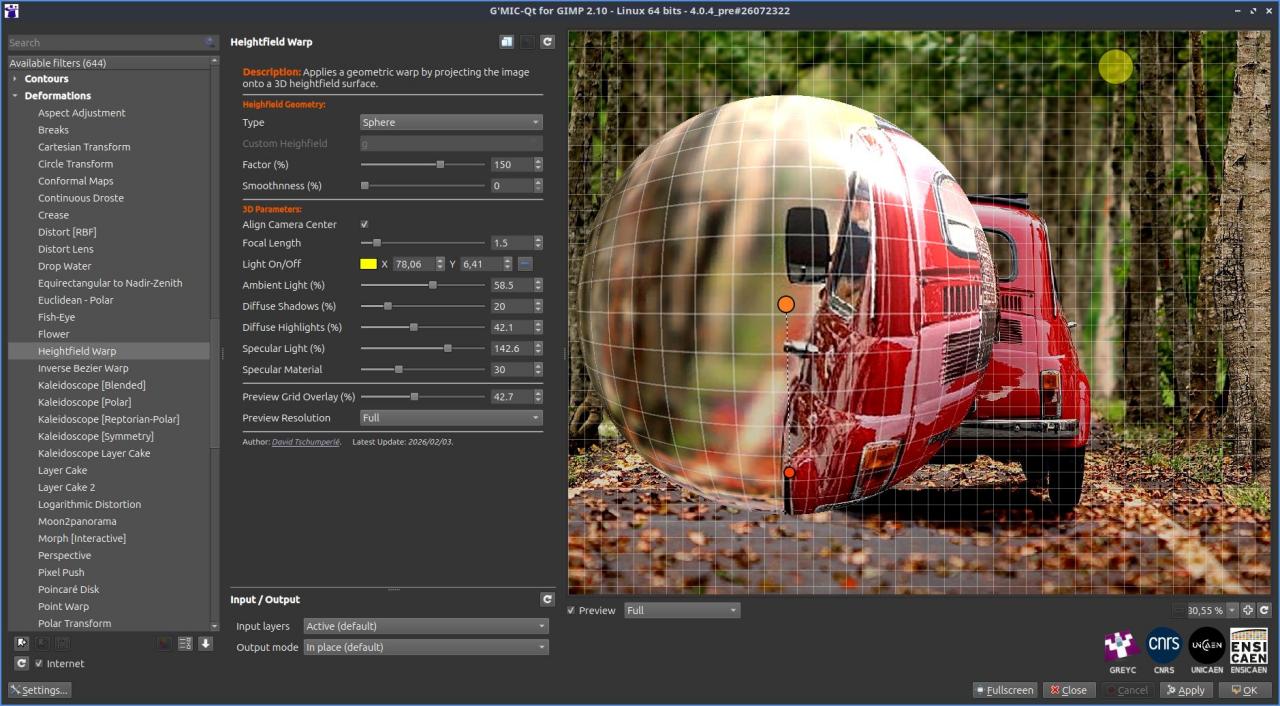
Fig. 2.4.1. The "Deformations / Heightfield Warp" filter as it appears in G'MIC-Qt, shown here with an elevation mapping corresponding to a dome-like hemisphere facing the camera.
This filter is highly flexible, allowing users to explicitly define custom mathematical formulas for height maps. Budding mathematicians can let their imagination run wild to distort their images!
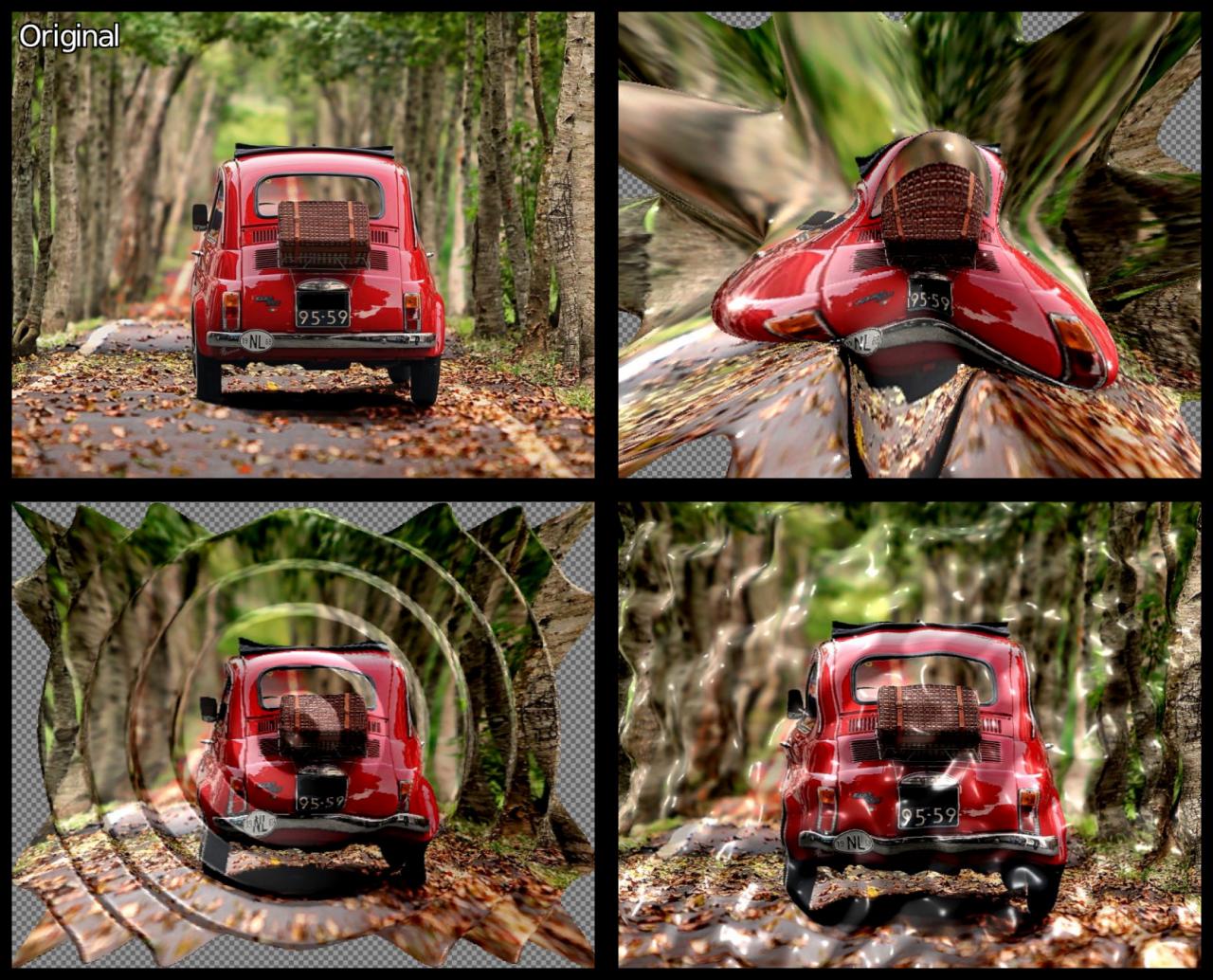
Fig. 2.4.2. Application of three custom 3D height map formulas using the "Deformations / Heightfield Warp" filter.
2.5. "Degradations / Offset Stripes" Filter
Glitch art enthusiasts might appreciate the new "Degradations / Offset Stripes" filter, which introduces offset horizontal and/or vertical strips with randomized displacement amplitudes.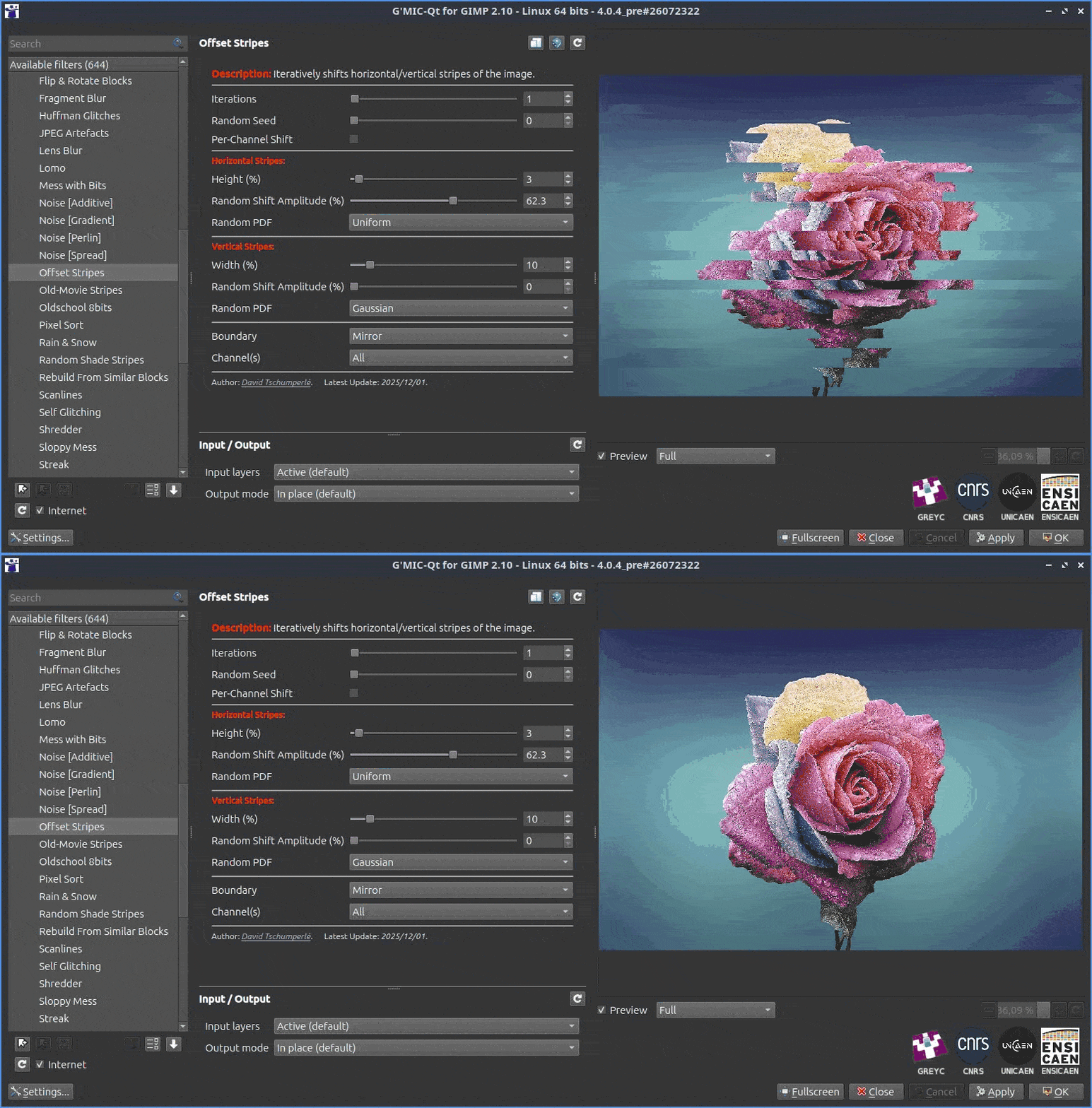
Fig. 2.5.1. The "Degradations / Offset Stripes" filter applies random offsets to horizontal and/or vertical image strips.
While the core concept is simple, the numerous parameters offer uncorrelated displacements for each channel across various color spaces. Combined with iterative options, this allows for a wide range of "glitch-style" image degradations, as shown below.
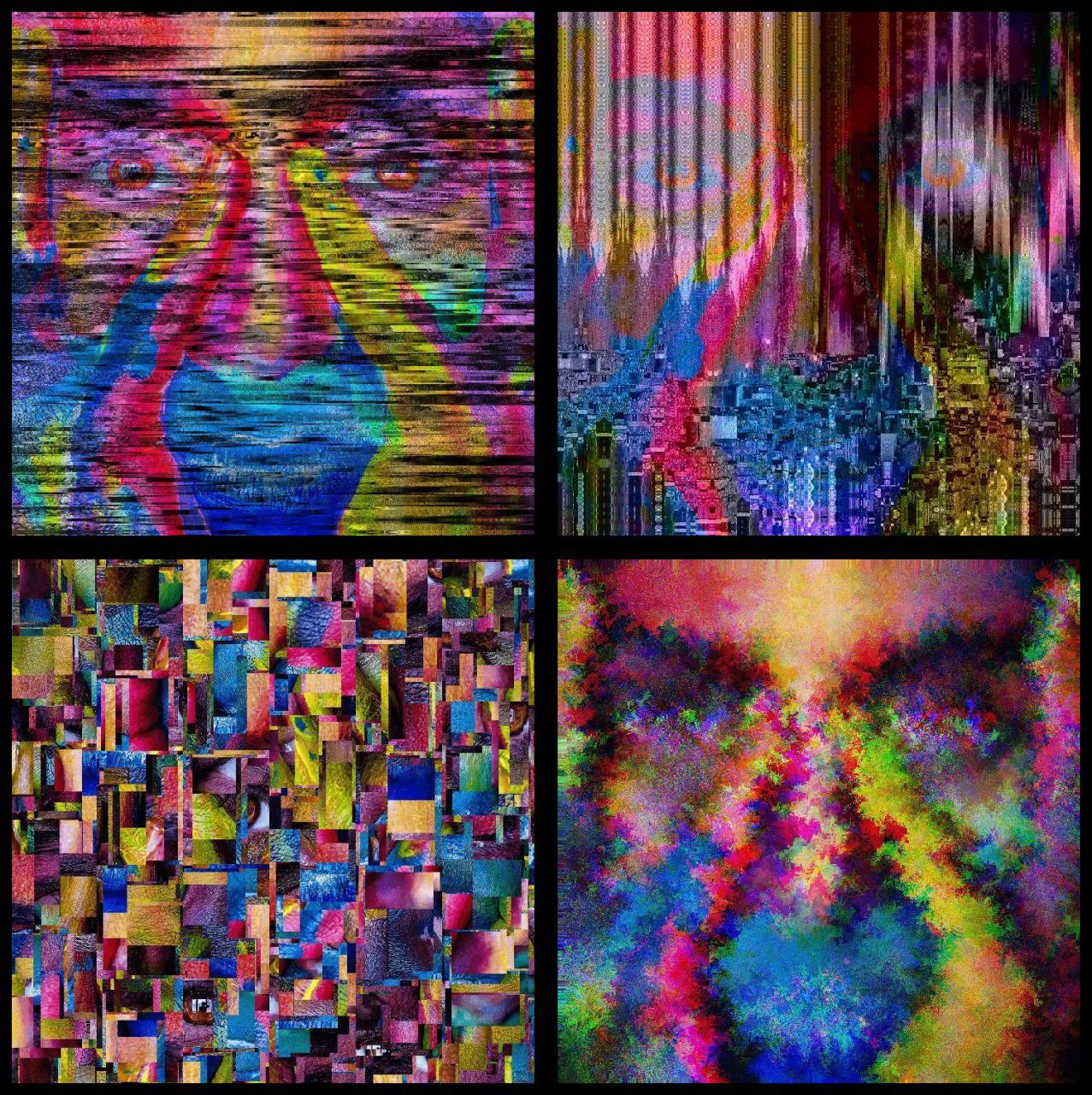
Fig. 2.5.2. Results of various parameter combinations for the "Degradations / Offset Stripes" filter applied to a single portrait.
2.6. "Colors / Transfer Colors [Multi]" Filter
To wrap up this overview of G'MIC-Qt's new filters, we have saved a highly interesting addition for last: the "Colors / Transfer Colors [Multi]" filter, which transfers colors between two images.Color transfer involves applying a color transformation to a source image based on a second style reference image whose color scheme or atmosphere we wish to reproduce. This transformation is designed to preserve the original structures (edges, objects, semantic content) of the source image as much as possible.
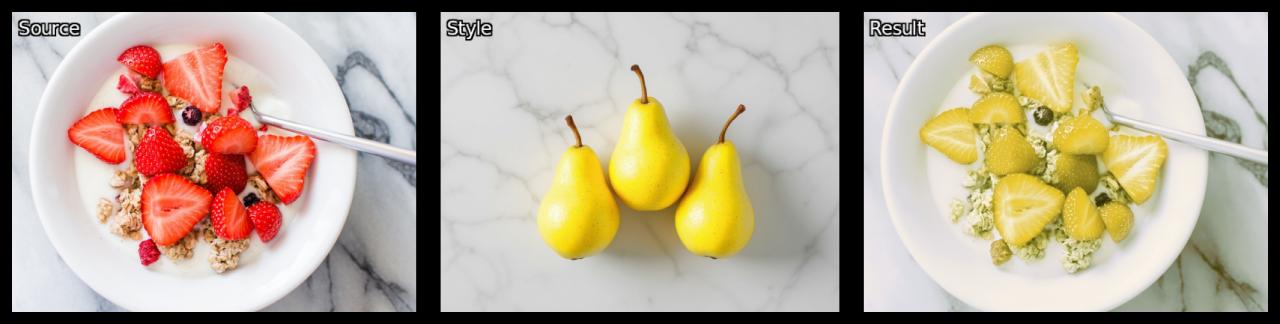
Fig. 2.6.1. The principle of color transfer: a _source image (left) is modified (right) to adopt the colors of a style reference image (center)._
From an algorithmic perspective, there are various approaches to color transfer. The "Colors / Transfer Colors [Multi]" filter supports three different methods: a PCA-based method, a histogram matching method, and a variational approach. To use this filter in G'MIC-Qt, simply apply it to an image with two overlapping layers: one for the source image and another for the style reference image containing the target colors.
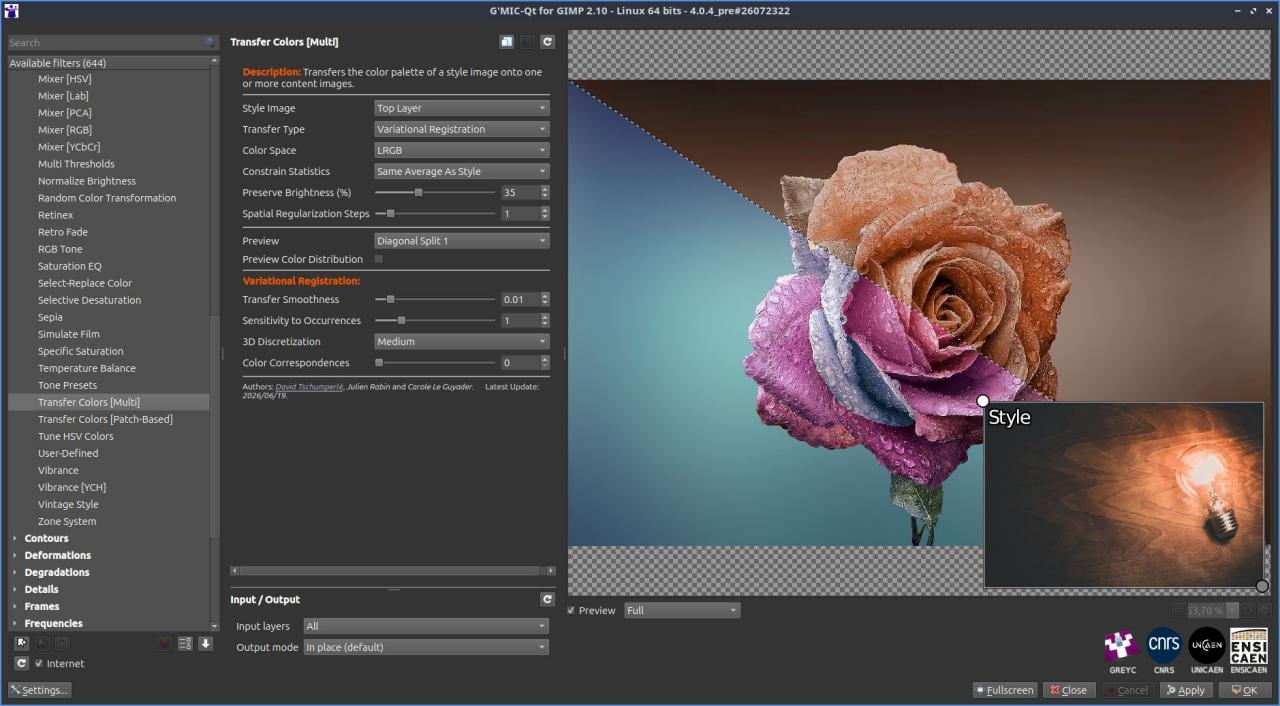
Fig. 2.6.2. The "Colors / Transfer Colors [Multi]" filter in G'MIC-Qt interface.
The variational color transfer algorithm implemented in this filter is a custom development resulting from a research collaboration between two members of the IMAGE team at the GREYC laboratory in Caen (D. Tschumperlé and J. Rabin) and a professor from the LMI mathematics laboratory at INSA Rouen (C. Le Guyader).
In short, this is a 100% Norman algorithm that runs udderly well 🐄 😉, and you won't find it anywhere else! We would like to warmly thank the Normandy Research Federation for Information and Communication Sciences and Technologies (NormaSTIC) for the financial support that facilitated and kickstarted this collaboration!
Our method features several unique characteristics designed to produce robust and high-quality color transfers compared to other approaches, operating quickly and fully automatically. The figure below displays examples of color transfers obtained on a single source image using various style reference images, with the filter's default settings.
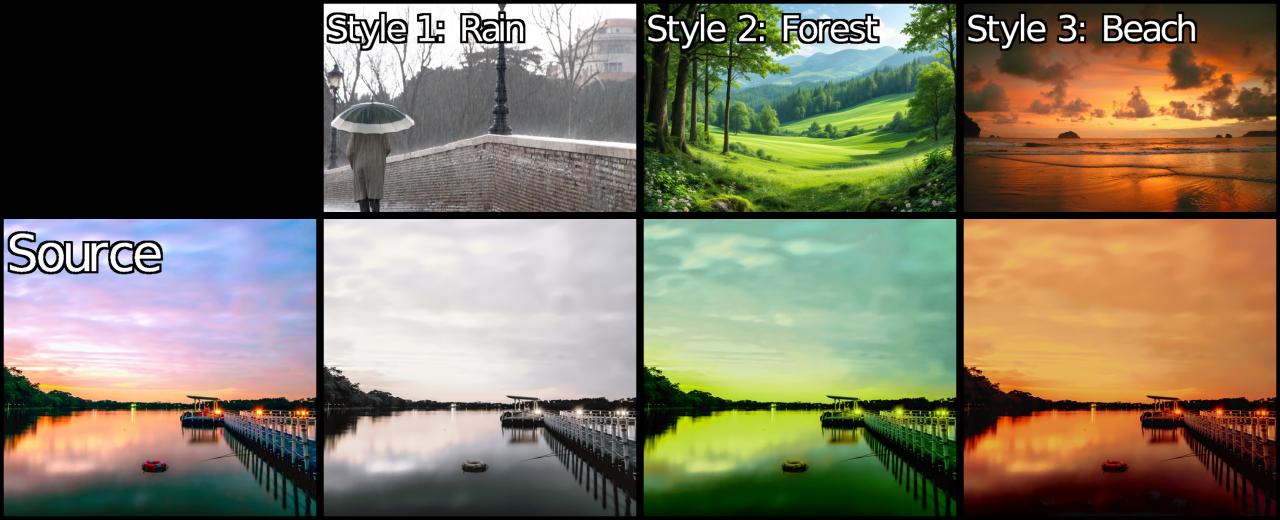
Fig. 2.6.3. Examples of color transfers performed by the "Colors / Transfer Colors [Multi]" filter on the same _source image using different style reference images._
The proposed technique also features a semi-supervised mode, allowing users to force specific color correspondences. This guides the algorithm toward a more constrained and tailored transfer. The two examples below showcase this control mechanism:
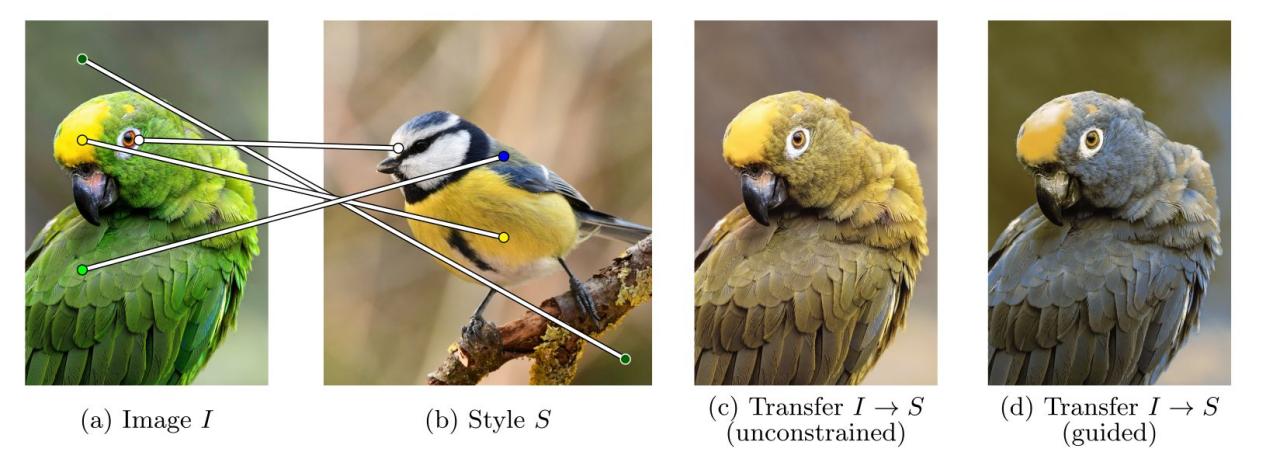
Fig. 2.6.4. Guiding the color transfer algorithm by forcing specific color correspondences (Parakeet → Great Tit).
Here, the green feathers of the parakeet (a) are perceptually closer to the yellow body of the great tit (b), which is why the default transfer algorithm matches them (result (c)). By defining desired color correspondences (the lines between images (a) and (b)), users can override this behavior and force the transfer of the great tit's blue color to the parakeet's green feathers (result (d)).
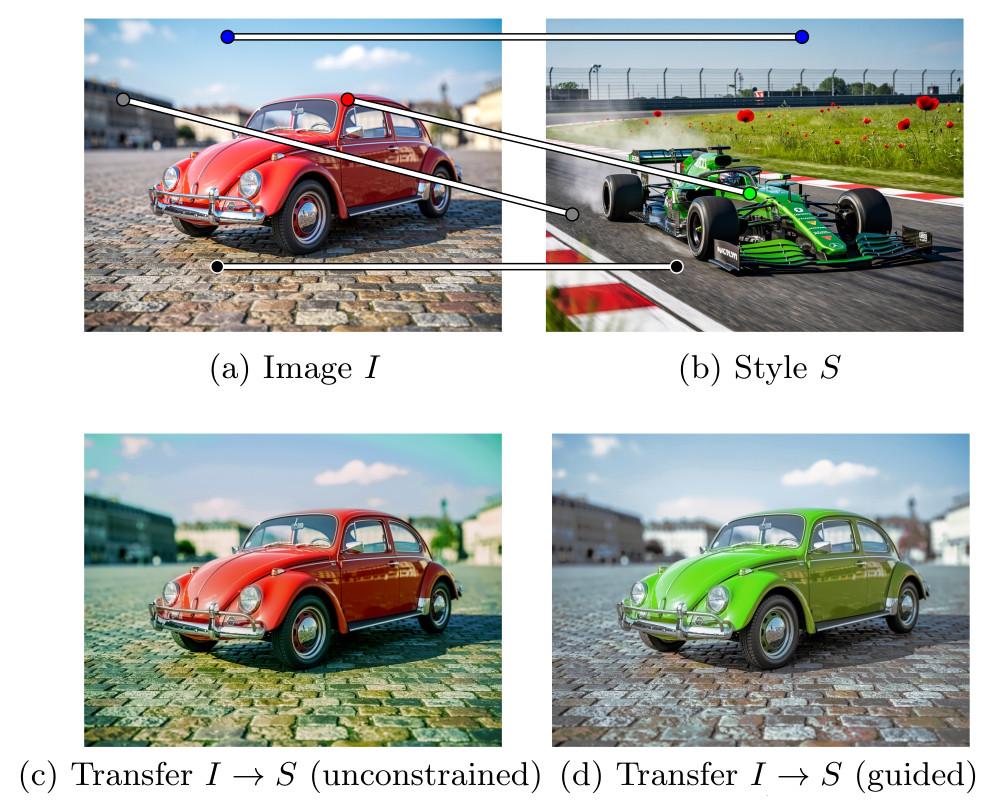
Fig. 2.6.5. Guiding the color transfer algorithm by forcing specific color correspondences (Ladybug → Formula 1 car).
In this second example, the red color of the ladybug (a) is found elsewhere in the style reference image of the Formula 1 car (b) (on the trackside, the poppies, etc.). The automatic algorithm naturally decides to keep this color mostly unchanged during the transfer (result (c)). Forcing explicit color correspondences guides the algorithm to change the ladybug's red color to green (result (d)).
As you can see, this filter represents the culmination of a long-term research effort in image processing algorithms. For researchers, it is highly rewarding to complete the entire cycle: designing a complex new algorithm on paper, developing and implementing it, refining it based on encouraging initial results, writing a detailed scientific paper about it (currently being finalized), and finally integrating it properly into open-source software so it can be used by anyone, potentially thousands of times.
It is worth noting that this is not the first time an image processing method developed in our research laboratory has been integrated into G'MIC. This page lists several scientific publications describing algorithms created by the GREYC IMAGE team that are accessible as filters in G'MIC-Qt.
3. New Features and Improvements in the Core and Standard Library
As mentioned earlier, the term G'MIC can refer to the scripting language of the same name. This language features its own interpreter and a standard library of functions. It is used to implement all the image processing filters and operators available to users across the project's various interfaces.Over the past year, many minor improvements have been made to both the language and its standard library.
In fact, these contributions make up the bulk of the development work carried out, even though they can be hard to showcase in a general update. They mostly address highly specific, technical details of the project—such as parsing or algorithmic optimizations, code cleanup, and new functions or options for the mathematical expression evaluator. While these additions are valuable for developers writing new filters, they are somewhat challenging to present in an entertaining way.
Therefore, we have chosen to list only a few easily illustrated updates below:
The new random_patches command procedurally renders square images filled with random geometric shapes and synthetic textures. You might wonder what this is used for. One practical application is generating datasets to train convolutional neural networks (CNNs) for denoising and super-resolution tasks (such as the networks used by the denoise_cnn and scale2x_cnn commands).
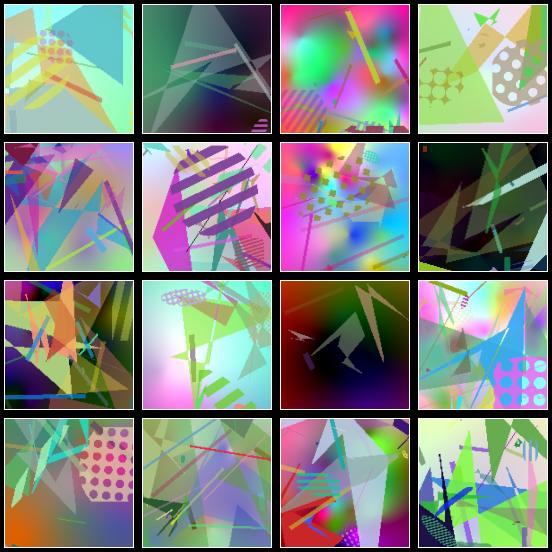
Fig. 3.1. The random_patches command synthesizes square images containing random geometric shapes and textures.
These generated images are complex enough for a neural network to learn relevant convolutional filters for semi-local geometric analysis of natural structures. Once learned, these filters can be applied to denoising or super-resolution tasks—problems that are highly geometric and do not require semantic image analysis. Using synthetic data to train simple networks is therefore highly effective for these applications. This approach avoids the need to store large, bulky image datasets during training (as synthetic images are generated on the fly), and naturally side-steps potential copyright issues associated with pre-defined training sets, whose origins are, admittedly, not always clearly cited.
The new shape_hilbert command generates, as its name suggests, a 2D image of a Hilbert curve.
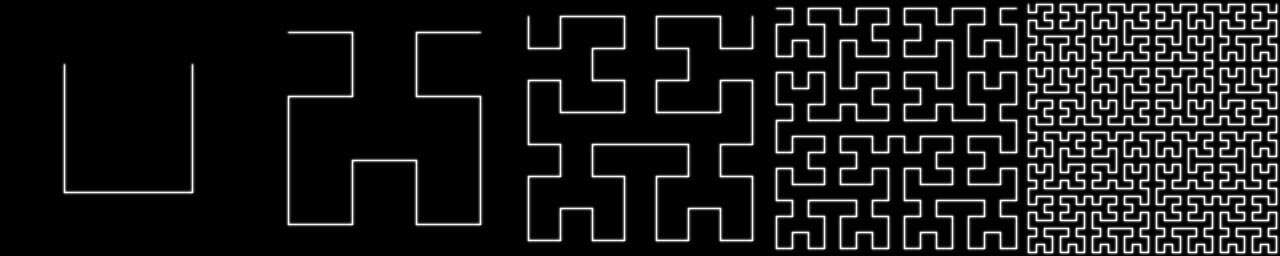
Fig. 3.2. The shape_hilbert command renders a Hilbert curve, illustrated here with increasing recursion levels.
The new pca command computes a principal component analysis (PCA) on a set of vectors. This analysis helps determine the representative dimensionality of vector data and its principal spatial orientations. PCA has various applications in image processing and data analysis, such as denoising, compression, face recognition, texture analysis, and geometric registration. The example below illustrates its use in determining the principal axes (drawn in dashed lines) of a dragonfly silhouette.
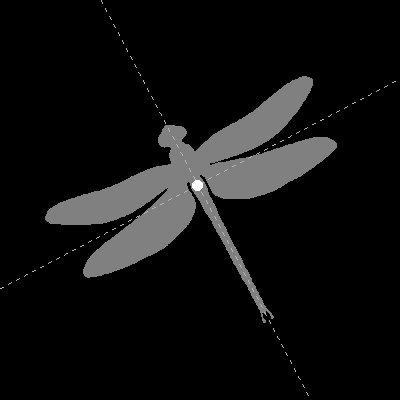
Fig. 3.3. The pca command is used here to calculate the orientations of the principal axes of a 2D binary silhouette.
The new depthmap3d and normalmap3d commands expand G'MIC's 3D mesh rendering capabilities by synthesizing object renders as depth maps and 3D normal maps, respectively.
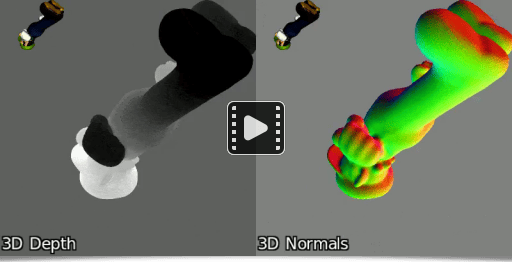
Fig. 3.4. Renders generated using the depthmap3d and normalmap3d commands on a rotating 3D model.
Finally, let's mention the general improvements made to the matrix operation algorithms in G'MIC. This includes the addition of pivoted QR decomposition, improved numerical precision for matrix inversion, and better solvers for linear systems. Although these updates are hard to visualize, here is a short command-line example that generates a random 40×40 square matrix, inverts it, and multiplies the two to verify that we recover the identity matrix:
$ gmic 40,40 rand -1,1 +invert +mmul name A,invA,'A*invA'
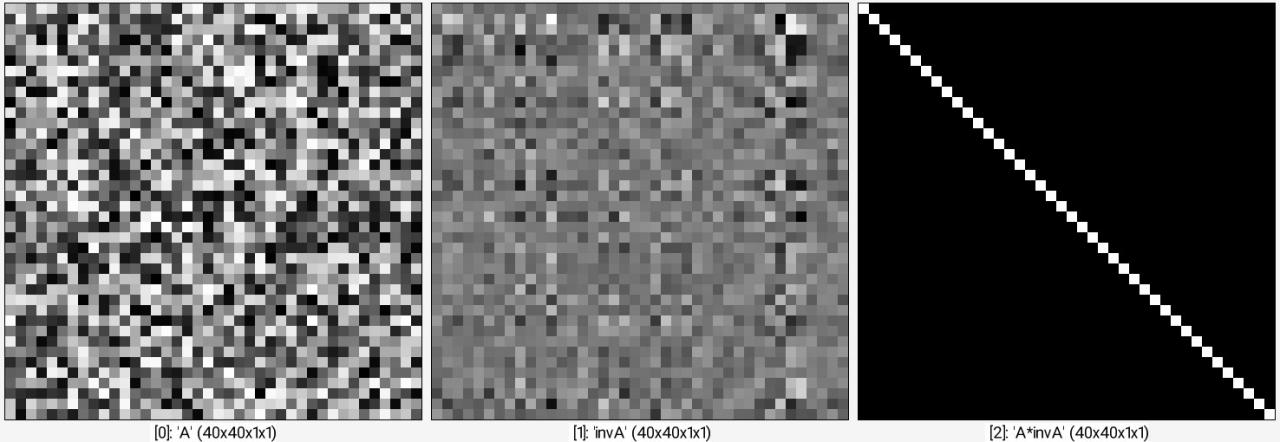
Fig. 3.5. Example of using the gmic command-line tool to invert a random matrix.
Of course, this is only a brief overview of the work completed on the G'MIC core this year. For more technical details, we recommend checking out the Changelogs.
4. New Source Repository: gmic-interactive-demos
As a member of a public research laboratory, I occasionally participate in science popularization events (such as the French Fête de la science or Normandy's FÉNO festival). These are great opportunities to present some of our image processing research to the general public. To make these presentations more engaging and fun, I have developed various interactive programs and demonstration booths over the years, leveraging the capabilities of the G'MIC scripting language.These open-source applications (released under the CeCILL license) are now available in this software repository: github.com/GreycLab/gmic-interactive-demos
They may be of interest to educators and researchers looking to illustrate image processing concepts to newcomers. The source code also demonstrates how the G'MIC language can be used to create interactive programs, completely independent of the G'MIC-Qt plugin.
Currently, the repository contains three demonstrators, which are detailed below.
4.1. The SteamFace Machine
The SteamFace Machine is our most recent demonstrator. It illustrates how convolutional neural networks can detect faces in an image and analyze facial features, all wrapped in a visually appealing Steampunk theme.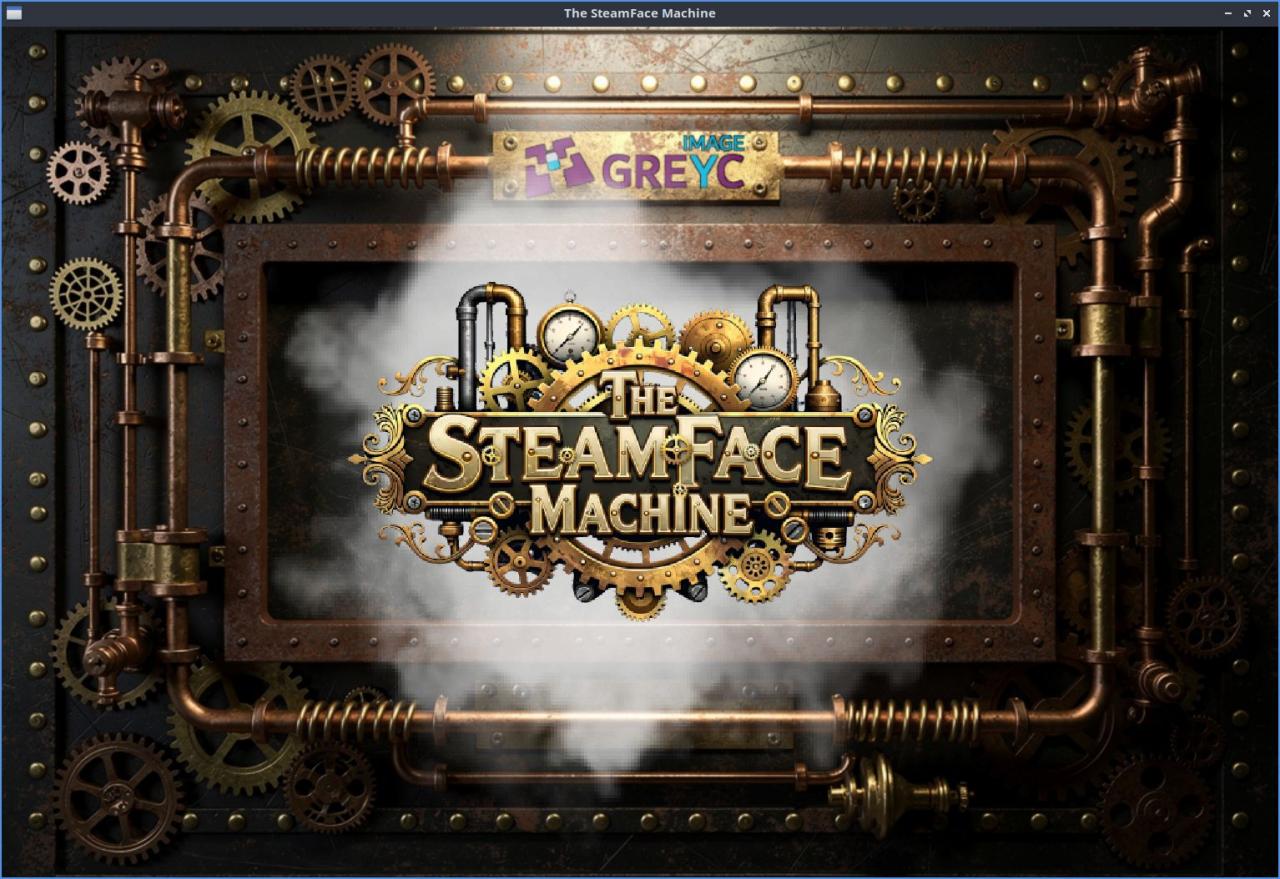
Fig. 4.1.1. Startup screen of "The SteamFace Machine" demonstrator.
The live video feed from a webcam is displayed on the screen, and when a face is centered, the face detection gauge activates. In the bottom right corner, you can see the outputs of the intermediate layers of the neural network performing the detection (a binary classifier built on a LeNet-5 style architecture).
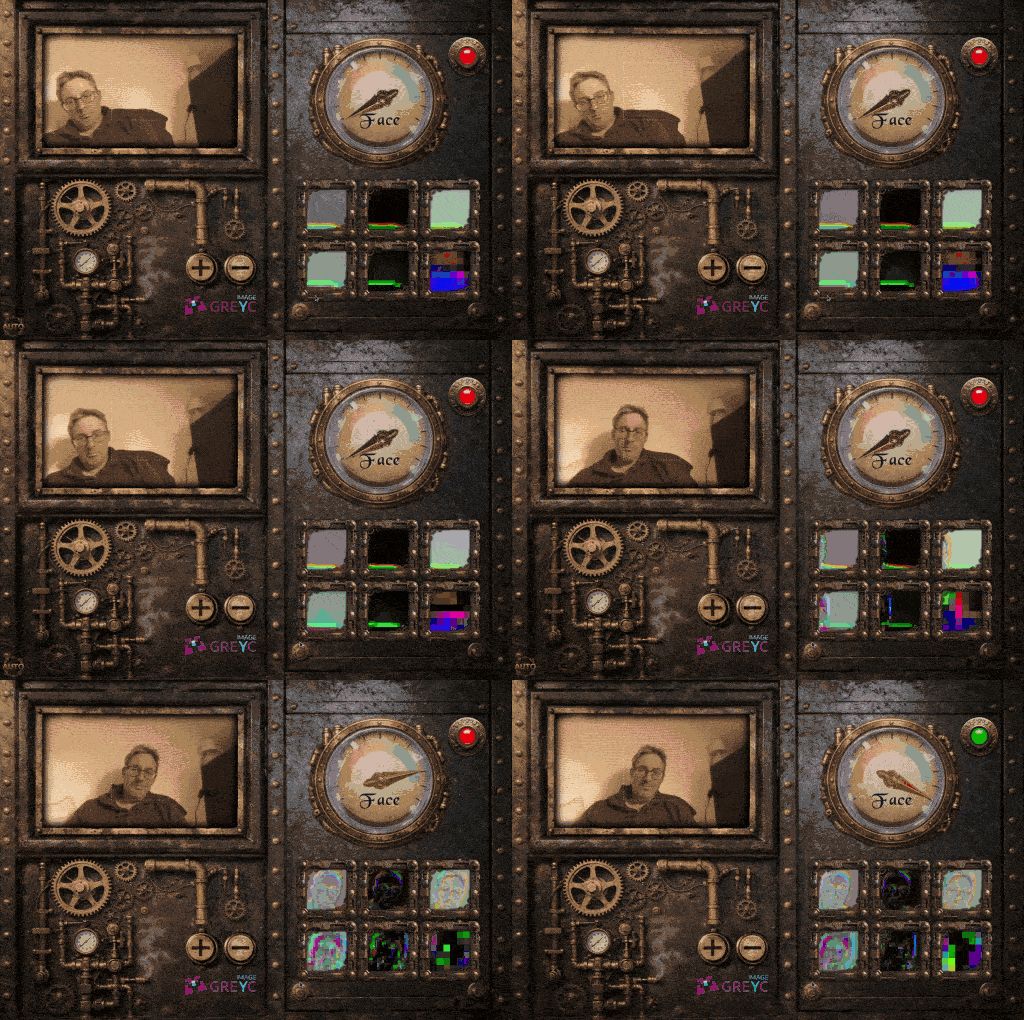
Fig. 4.1.2. Face detection by a convolutional neural network in "The SteamFace Machine".
Once a face is detected, a second network runs inference to extract various facial attributes: gender, age, hair type, presence of glasses or hats, nose size, and more.
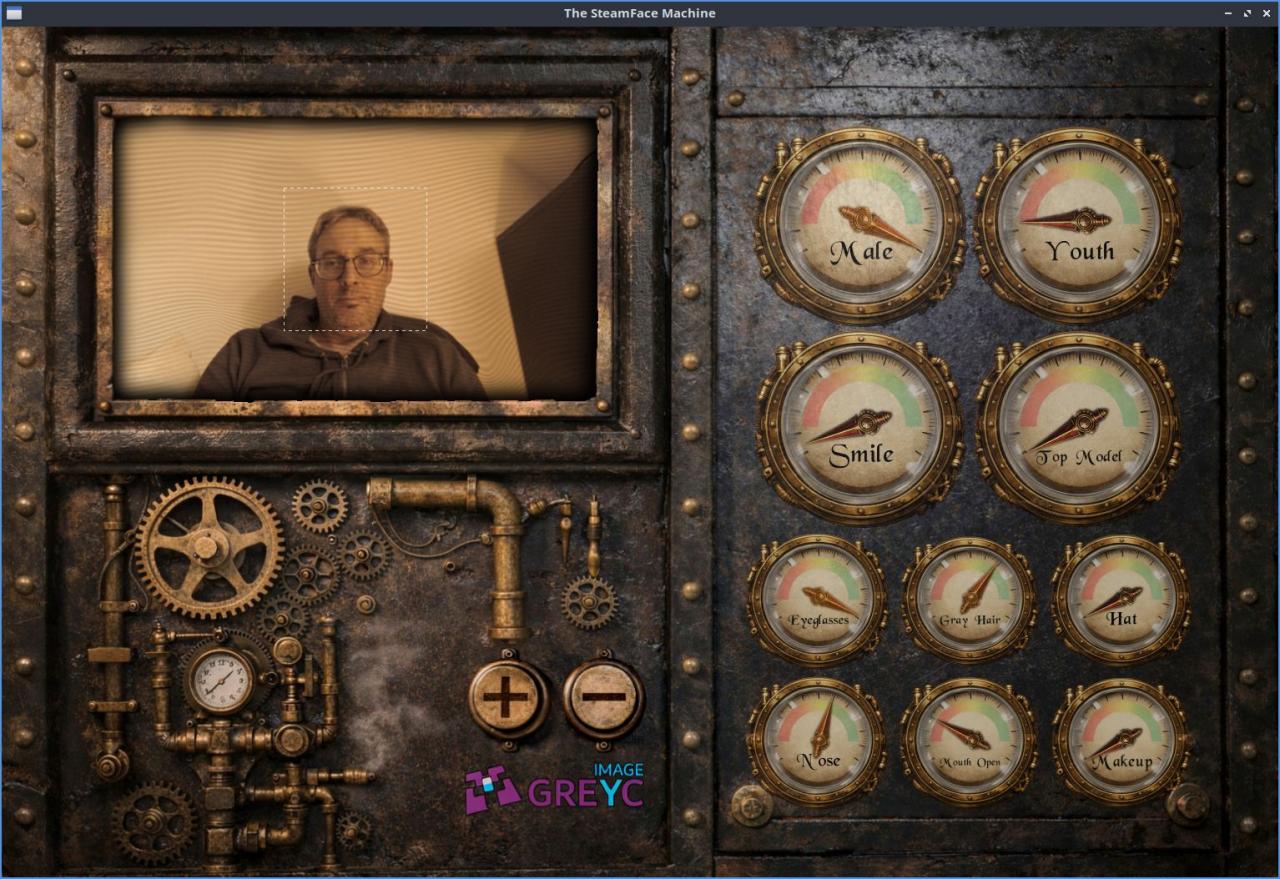
Fig. 4.1.3. Analysis of some attributes associated with the detected face.
This setup is a visually engaging way to present neural classifiers to the public—demonstrating not only their capabilities but also their limitations and the inherent biases of the training datasets used to build them. For instance, this demonstrator uses the CelebA dataset, which contains images quite different from those captured via a webcam in uncontrolled environments (such as an exhibition hall).
We would also like to mention the great contribution of our colleague Philippe Bernard, from the System and Network Administration (ASR) team at GREYC. He built a physical, portable demonstration kiosk housing The SteamFace Machine, making it easy to bring to scientific outreach events!
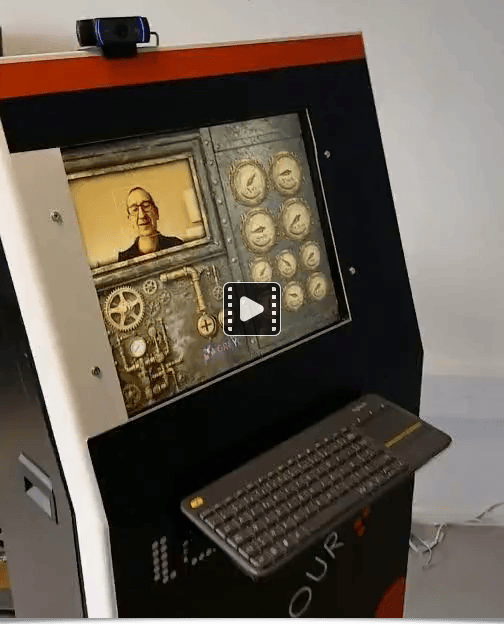
Fig. 4.1.4. Demo video of "The SteamFace Machine" physical kiosk during its construction phase.
4.2. Virtual Artist
Virtual Artist is another interactive demonstrator designed to illustrate the concept of style transfer between two images. While color transfer (discussed in Section 2.6) focuses purely on color schemes, style transfer goes a step further by seeking to transfer the entire graphic and texture style from a style image onto a source image. This is a far more complex challenge, and state-of-the-art methods typically rely on deep neural networks.Virtual Artist does not aim to compete with state-of-the-art neural transfer techniques; rather, it serves as an educational tool to explain the general mechanics of style transfer in image processing. Users can play with various predefined source and style images. The figure below illustrates some of the main screens of the application.
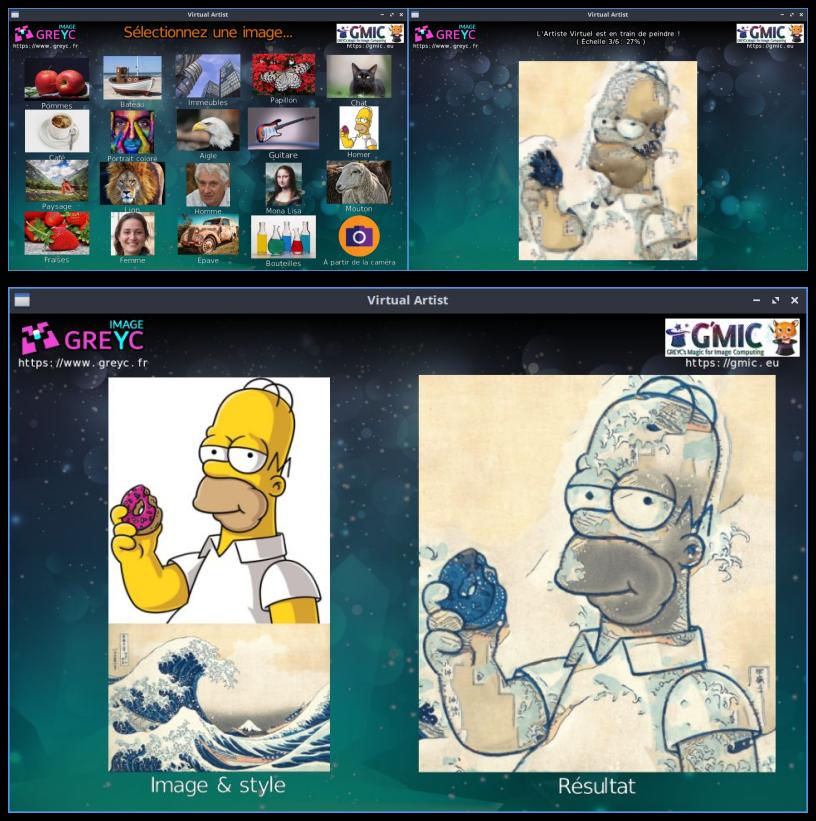
Fig. 4.2.1. The "Virtual Artist" application illustrating style transfer between two images.
This demonstrator has been deployed numerous times on a large touchscreen table during public outreach events and continues to capture people's interest!
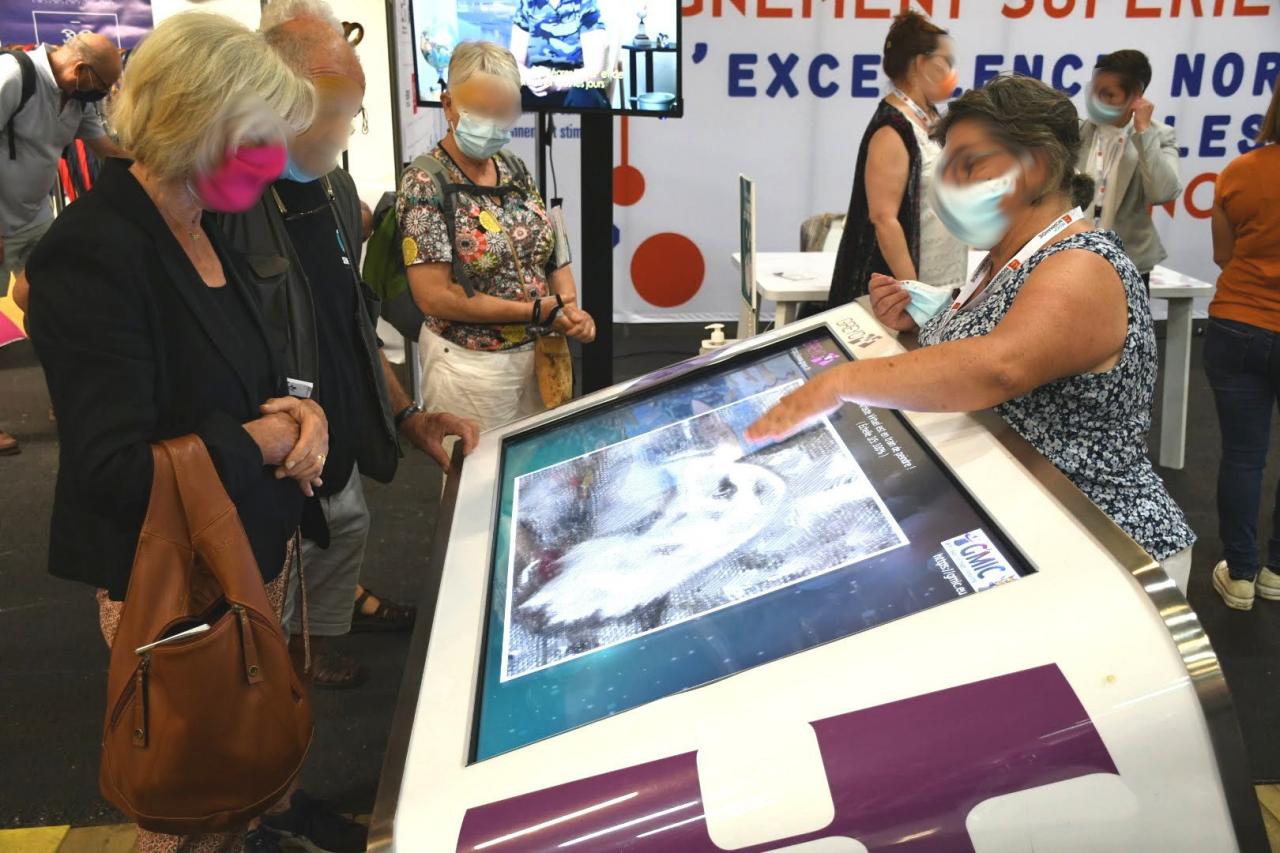
Fig. 4.2.2. The "Virtual Artist" app in action at the Festival of Norman Excellence (FÉNO) in 2021.
4.3. GREYC Warp
The last demonstrator in the repository, GREYC Warp, implements an interactive funhouse mirror. Users see their live webcam stream and can create, move, or delete control points that define a deformation computed in real time. Ten pre-defined deformation presets are also available.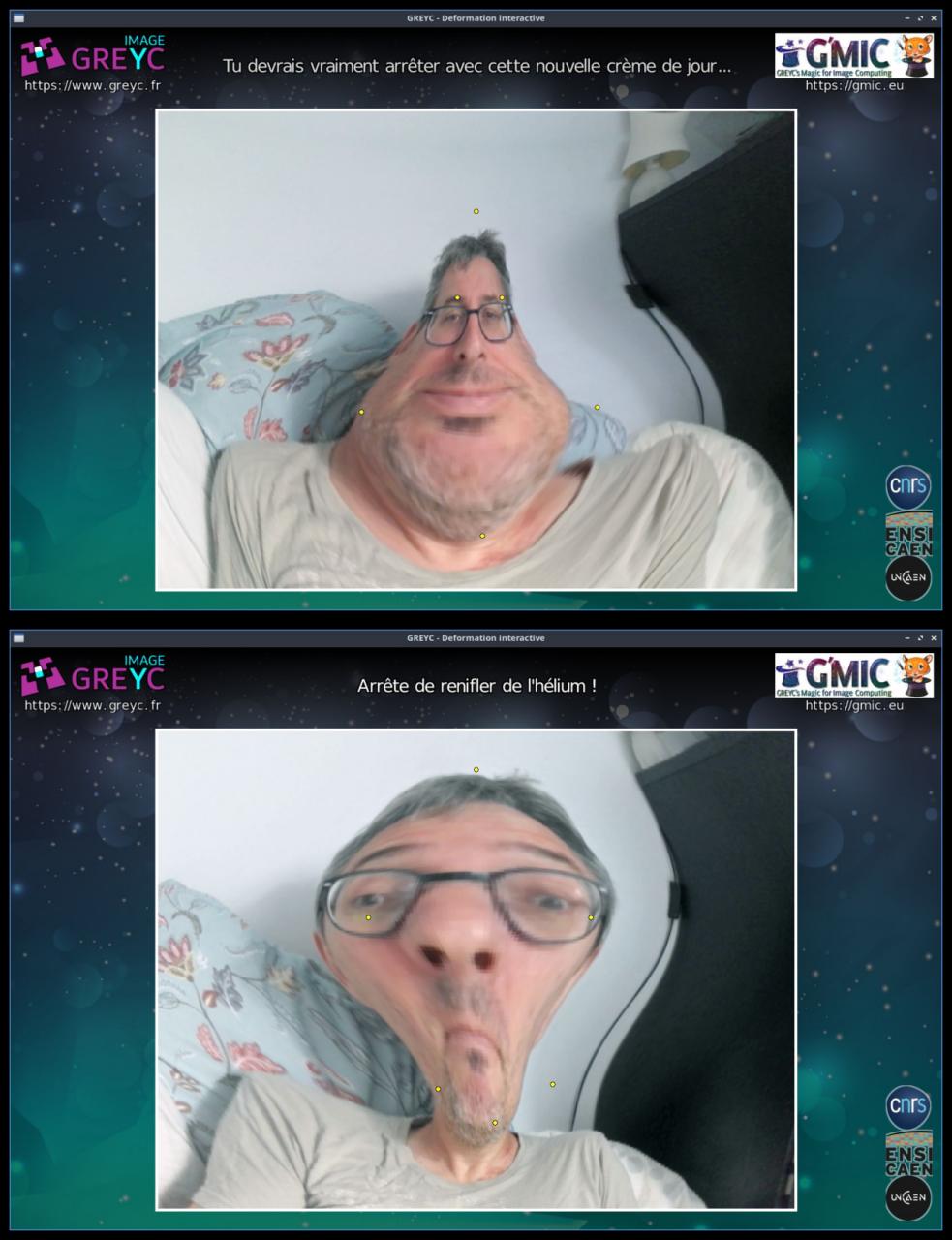
Fig. 4.3.1. The "GREYC Warp" application lets users warp their webcam feed interactively with plenty of humor.
From our experience testing this demonstrator in real-world settings, it is a huge hit with children (although sometimes very young children might worry that it reflects their real appearance!). It is a simple yet engaging application.
5. G'MIC and Creative Coding
These few demonstrators already hint at a G'MIC language that is well-suited for creative coding, which is the practice of using computer programming as a medium of artistic expression (visual, musical, literary, interactive, performative...) in its own right.5.1. Short Creative Scripts
As a former demomaker, creative coding is a field close to my heart. I regularly write and share short scripts on the G'MIC forum to experiment with new visual effects or reproduce captivating ones I come across online. Some of these recent effects are described below, each with a link to its corresponding source code (.gmic script).Rotating Diffusion-Limited Aggregation: This effect is a variation of diffusion-limited aggregation (DLA). It implements a system of moving particles that freeze when they contact already stationary, older elements. Add a bit of rotation, zoom-out, and a color palette, and there you have it! The source code for this effect is just 36 lines long, comments included.
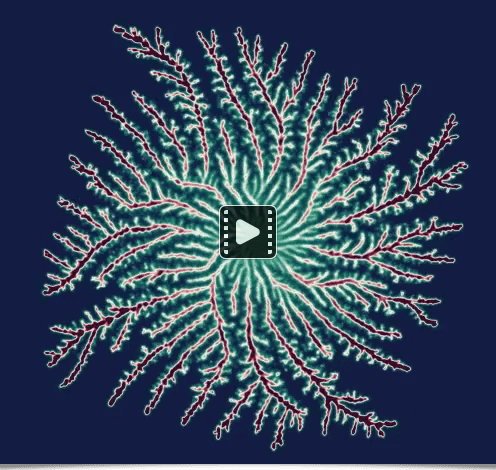
Fig. 5.1.1. The animated "Rotating Diffusion-Limited Aggregation" effect rendered by G'MIC.
Neon Hilbert Curve: This animation stylizes the drawing of a Hilbert curve with an incremental stroke reminiscent of neon lighting. The source code is slightly longer at 52 lines 😉.
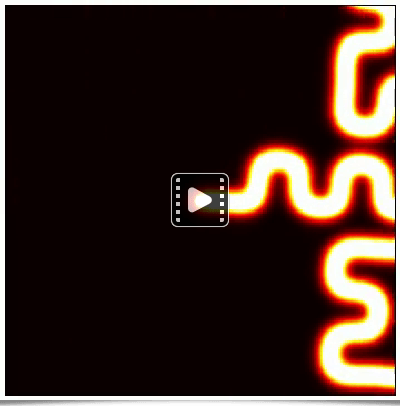
Fig. 5.1.2. The animated "Neon Hilbert Curve" effect rendered by G'MIC.
Shape Morphing: Here, two silhouettes morph into each other in a continuous loop. It uses edgels to extract and parameterize the contours of both silhouettes. The source code for this effect is back to a more modest size of 36 lines.
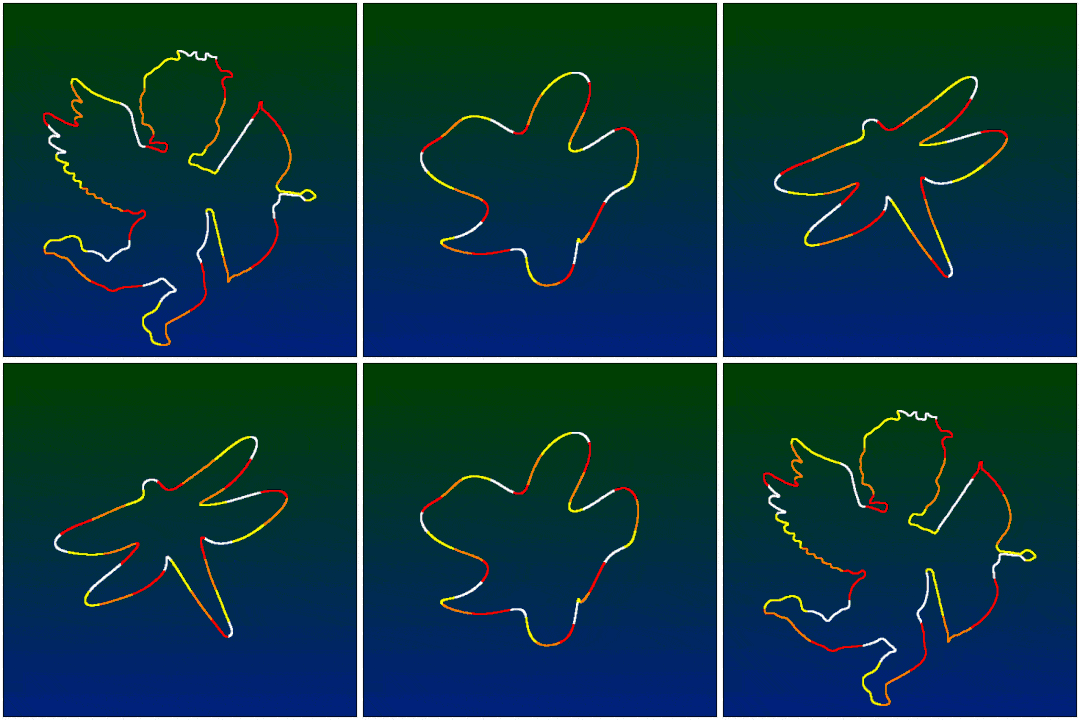
Fig. 5.1.3. The animated "Shape Morphing" effect rendered by G'MIC.
3D Tunnel: This one is a personal favorite. While it is a classic demoscene effect, the render is quite pleasing. At 68 lines, the source code to generate this perfectly looping 256-frame animation remains highly compact.
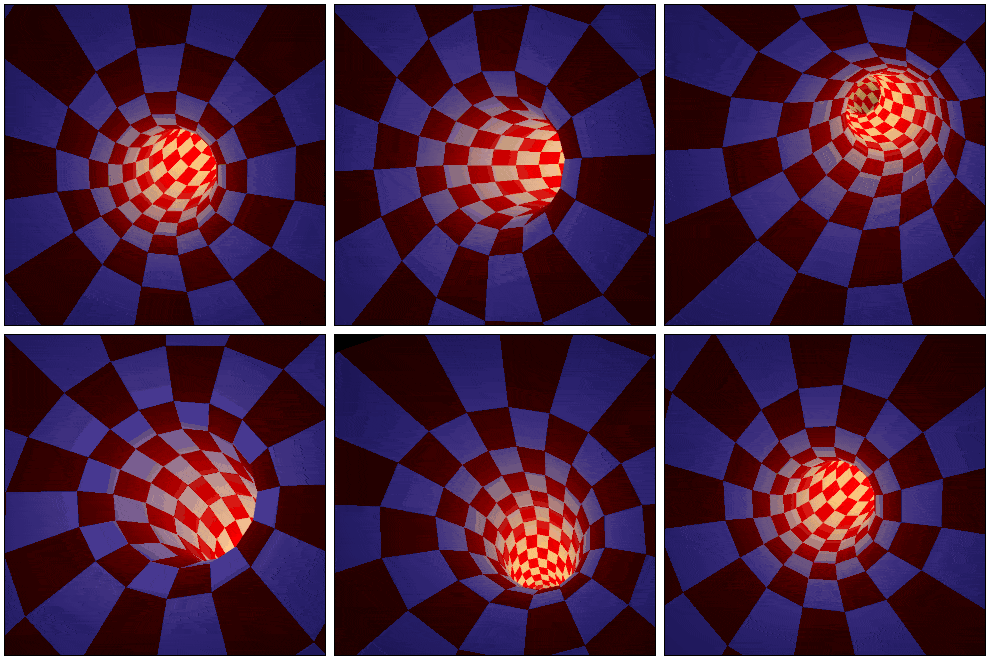
Fig. 5.1.4. The animated "3D Tunnel" effect rendered by G'MIC.
Geometric One-Liner: Thanks to its concise syntax, the G'MIC language is well-suited for creating one-liners. A full section of the reference documentation is dedicated to interesting one-liners. Having come across this graphic created in GeoGebra by Georg Wengler, I wanted to replicate it in G'MIC as a single command-line animation. Fortunately, code lines are not limited to 80 characters!
$ gmic 12,12,256,2,"a = 1 + x; b = 1 + y; t = lerp(0,2*pi*b,z/d); cos(a/b*t)*cexp([0,t])" 12,12,1,2,"S = crop(#-1,x,y,0,c,1,1,d#0,1); S = round(45*(S - avg(S)) + 50); draw(#-1,S,x,y,0,c,1,1,d#0,1)" rm. 1200,1200,1,3,255 repeat 256 { 12,12,1,1,"repeat (16,l, X = 100*[x,y] + round(I(#0,x,y,$> + l/16,2,2)); ellipse(#-1,X,1,1,0,1,0))" rm. +rs. 600 w. rm. wait 20 } rm
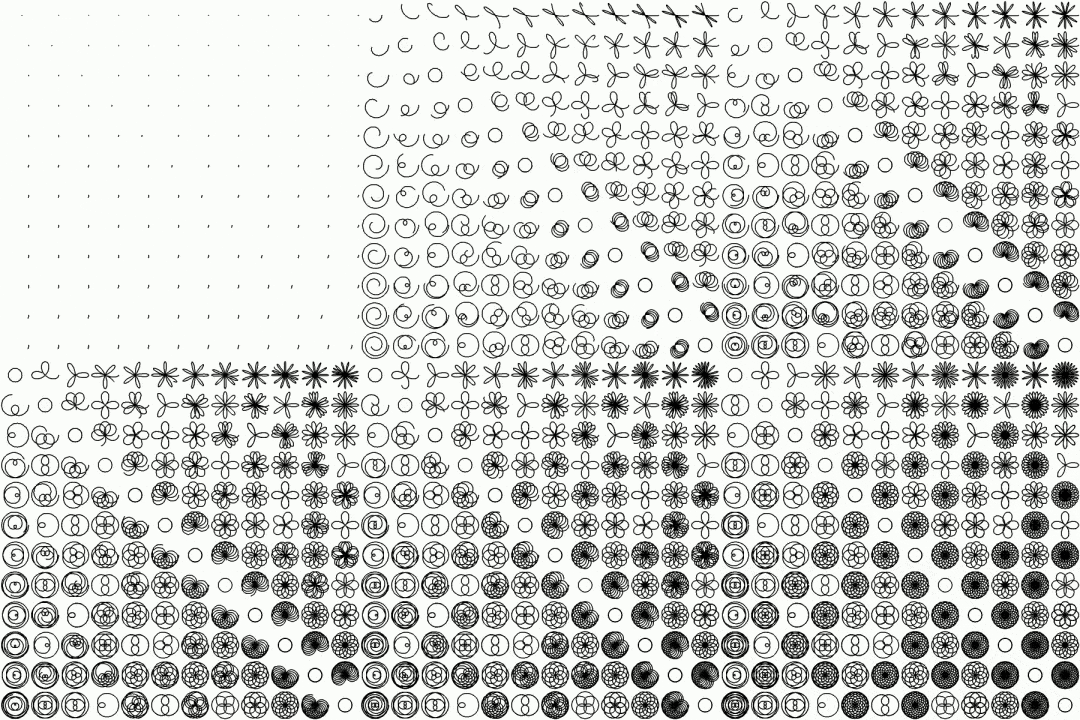
Fig. 5.1.5. The animated "cos(ab)" effect rendered by G'MIC.
All of these new animations are available in the Gallery section of the G'MIC website.
5.2. Continuation of the "G'MIC Adventures" Series
Occasionally, I share the step-by-step process of building a creative coding project from scratch, written as a short article on the G'MIC forum. This series is called G'MIC Adventures. Two new episodes have been published since our last report:Training a Multi-Layer Perceptron to Reproduce a Color Image (G'MIC Adventure #5):
In this fifth episode, we train a simple neural network (a multi-layer perceptron) to learn an entire image function (x,y) → (R,G,B) — predicting the correct (R,G,B) color from a given input coordinate vector (x,y). It is interesting to visualize the color image reconstructed by the network at each learning iteration (as shown in the figure below) until it converges.
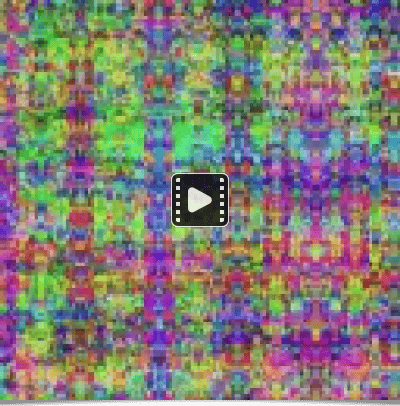
Fig. 5.2.1. Iterative reconstruction of a color image obtained through the training of a multi-layer perceptron.
Playing with the Wave Equation (G'MIC Adventure #6):
In this sixth episode, we focus on implementing the wave equation in G'MIC. We explore its ability to apply interesting deformation effects to images, as illustrated in the figure below, which shows the final result of the article.
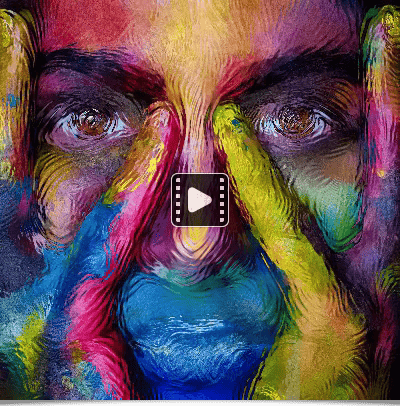
Fig. 5.2.2. Application of an anisotropic wave equation to deform an image along its contours.
The examples presented in this section show the potential of G'MIC for creative coding, particularly for rapidly prototyping visual effects. Its command-line interface (via the gmic command) makes it a valuable utility for generating animations or batch-processing images automatically.
6. Other project-related news
To conclude this long post, here is a quick round-up of some other notable news related to the project:G'MIC distribution: Over time, G'MIC distribution has picked up pace, and installing it has become easier. First, it is worth noting that G'MIC-Qt was among the very first plug-ins available when GIMP released its major 3.2 version. Installing this plug-in is now also much simpler for macOS users, thanks to the great work of the MacPorts packagers, who provide an up-to-date version.
We have also learned that G'MIC has sparked interest in several other projects:
1. The G'MIC-GEGL project aims to expose the various filters of the G'MIC-Qt plug-in directly as GEGL nodes, which is the image processing library used internally by GIMP. This means that G'MIC-Qt effects could eventually be used as non-destructive effect layers in GIMP.
2. PhotoFlare is a cross-platform digital image editor, and its developer announced that they have integrated the G'MIC-Qt plug-in to take advantage of its hundreds of available filters.
3. The gmic-affinity project aims to develop a plug-in in Rust for Affinity Photo to bring the G'MIC-Qt plug-in to its users. The plug-in is already functional for this software via the 8bf API (as shown in this video), though unfortunately not yet for macOS users.
4. Finally, G'MIC-Qt has arrived on the Snap Store, providing an alternative way to install the plug-in for GIMP.
7. Conclusion
This 4.0 release marks an important milestone for G'MIC: eighteen years after the first line of code, the project has shown that open-source software born within a public research laboratory, and with modest resources, can establish a long-term presence in the open-source digital art landscape, and continue to innovate thanks to its open and extensible ecosystem.This post sought to show the maturity and versatility of G'MIC. It is a multi-purpose framework whose diverse interfaces can reach different audiences—from digital artists to command-line hobbyists and image-processing researchers—essentially anyone working with digital images!
This is also the opportunity to remind everyone that none of this would have been possible without the supportive ecosystem surrounding the project. We would like to warmly thank our academic partners (CNRS, ENSICAEN, the University of Caen, and the GREYC management), as well as the entire community (testers, packagers, content creators, and daily users). Your support is greatly appreciated.
Ideas are flowing, the desire to play with pixels is as strong as ever, and we hope to continue developing and promoting this open-source framework as it deserves in the future.
Will there be another post next year? Only time will tell!
8. Previous G’MIC News Posts
If you enjoyed this post and want to look back at the history of G’MIC through earlier announcements, here are the previous news articles celebrating past milestones:G’MIC 3.6 - The Art of Polishing Your Images! - 17 years.
G’MIC 3.4.0 - Image Processing in Its Prime! - 16 years.
G’MIC 3.2.5 - 15 Years of Development for Open and Reproducible Image Processing - 15 years.
G’MIC 3.0.0 - A Third Dose to Process Your Images! - 13 years.
G’MIC 2.7 - Process Your Images with Style - 11 years.
G’MIC 2.3.6 - 10 Years of Open Source Image Processing! - 10 years.