G'MIC - GREYC's Magic for Image Computing: A Full-Featured Open-Source Framework for Image Processing
Banner Institutions GREYC CNRS ENSICAEN UNICAEN

A Full-Featured Open-Source Framework for Image Processing


Latest stable version: 4.0.2 (2026/07/05)

Download
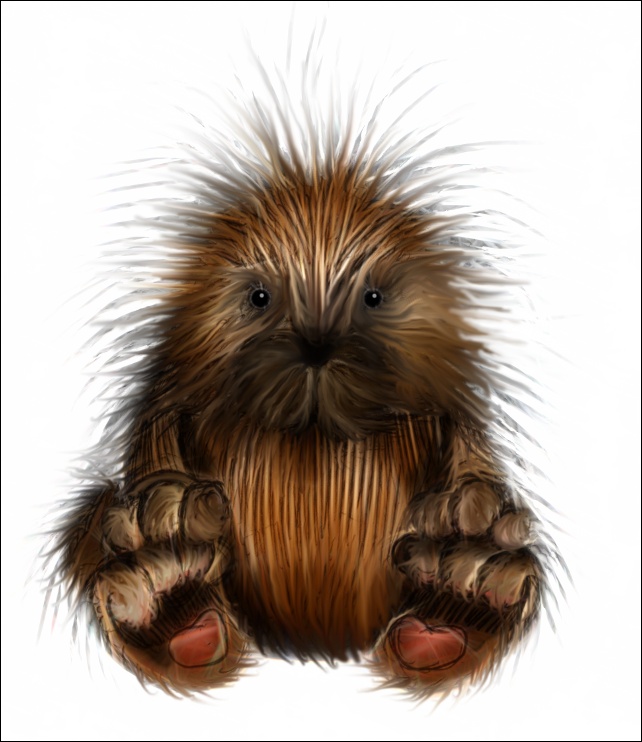
Roddy
Roddy, the mascot of the 'Rodilius' filter in G'MIC, artwork by Mahvin.

Roddy, the mascot of the 'Rodilius' filter in G'MIC
(artwork by Mahvin)

GALLERY G'MIC Online
10 Years 11 Years 13 Years
15 Years 16 Years 17 Years

Here you can download the G'MIC source code and find pre-compiled binaries for the various interfaces and architectures.


GIMP

G'MIC-Qt plug-in for GIMP 3

GIMP

G'MIC-Qt plug-in for GIMP 2.10

Photoshop 8bf Affinity Photo 8bf PaintShop Pro 8bf
PhotoLine 8bf XnView 8bf

G'MIC-Qt plug-in for Photoshop / Affinity Photo / PaintShop Pro /
PhotoLine / XnView (8bf)

Paint.NET

G'MIC-Qt plug-in for Paint.NET

  • Windows:
Python

G'MIC Python package

$ pip install gmic
Win64

G'MIC for Windows - Other interfaces

Debian64

G'MIC for Debian - All interfaces (.deb packages)

Ubuntu64

G'MIC for Ubuntu - All interfaces (.deb packages)

Source

G'MIC source code

OpenFX

G'MIC OpenFX plug-ins

Third-Party Packages

Packaging Status Latest Packaged Version(s)

  • Packages for Fedora: should be available here.
Src - Linux

The source code of G'MIC is shared between several GitHub repositories with public access. The code from these repositories is intended to be work-in-progress though, so we don't recommend using them to access the source code, if you just want to compile the various interfaces of the G'MIC project. It is recommended to get the source code from the latest .tar.gz archive instead.

Here are the instructions to compile G'MIC on a fresh installation of Debian (or Ubuntu). It should not be much harder for other distros. First you need to install all the required tools and libraries:

$ sudo apt install git build-essential libgimp2.0-dev libcurl4-openssl-dev libfftw3-dev libtiff-dev libjpeg-dev libopenexr-dev libwebp-dev qtbase5-dev qttools5-dev-tools

Then, get the G'MIC source:

$ wget https://gmic.eu/files/source/gmic_4.0.2.tar.gz && tar zxvf gmic_4.0.2.tar.gz && cd gmic-4.0.2/src

You are now ready to compile the G'MIC interfaces:

  • gmic (command-line tool),
  • gmic_gimp_qt (plug-in for GIMP),
  • ZArt and
  • libgmic (G'MIC C++ library).

Choose one:

$ make cli # Compile command-line interface
$ make gimp # Compile plug-in for GIMP
$ make lib # Compile G'MIC library files
$ make zart # Compile ZArt
$ make all # Compile all of the G'MIC interfaces

(compilation may take a while).

Note that compilation errors (compiler segfault) may occur with older versions of g++ (4.8.1 and 4.8.2). If you encounter these kinds of errors, you probably have to disable the support of OpenMP in G'MIC to make it work, by compiling it with:

make OPENMP_CFLAGS="" OPENMP_LIBS=""

Also, please remember that the source code in the git repository is constantly under development and may be a bit unstable, feel free to report any bugs.

Src - Windows

On Windows, compiling executables of the different G'MIC interfaces is relatively straightforward. It requires the following steps:

  • Set up of the compiling environment:

    • Install MSYS2, from https://www.msys2.org/.
    • Launch MSYS terminal (MSYS2 MinGW 64-bit), then update default installed packages with:
      $ pacman -Syu
    • Install required additional packages (note: this will require significant time and disk space — around 3GB):
      $ pacman -Sy mingw64/mingw-w64-x86_64-qt5 mingw64/mingw-w64-x86_64-gimp mingw64/mingw-w64-x86_64-pkgconf mingw64/mingw-w64-x86_64-gcc mingw64/mingw-w64-x86_64-fftw make git
    • Add /mingw64/bin to $PATH, by adding following line in file $HOME/.bash_profile:
      PATH="/mingw64/bin:${PATH}"
    • Close terminal, and relaunch it. Now all required tools to compile are available from the terminal.
    • Retrieve source code of G'MIC interfaces:
      $ wget https://gmic.eu/files/source/gmic_4.0.2.tar.gz && tar zxvf gmic_4.0.2.tar.gz && cd gmic-4.0.2

  • Compilation of gmic (CLI interface):

    • Go to src/ source folder:
      $ cd src/
    • Compile with provided Makefile:
      $ make cli
      You may want to disable Link-Time-Optimization to save memory usage when compiling, because g++ eats a lot of memory when LTO is enabled. In that case, type:
      $ make FLTO="" cli
      instead.
    • When compilation succeeds, the G'MIC CLI executable can be found in current directory, i.e. gmic/src/gmic.exe.
    • Copy needed DLL for the gmic.exe executable. They are all found in /mingw64/bin/:
      $ cd /mingw64/bin/ && cp libgcc_s_seh-1.dll libwinpthread-1.dll libgomp-1.dll libstdc++-6.dll libcurl-4.dll libbrotlidec.dll libbrotlicommon.dll libcrypto-1_1-x64.dll libidn2-0.dll libiconv-2.dll libintl-8.dll libunistring-2.dll libnghttp2-14.dll libpsl-5.dll libssh2-1.dll zlib1.dll libssl-1_1-x64.dll libzstd.dll libfftw3-3.dll libjpeg-8.dll libpng16-16.dll libtiff-5.dll liblzma-5.dll PATH_TO_EXE/

  • Compilation of gmic_qt (stand-alone Qt-based interface):

    • Go to gmic-qt/ source folder:
      $ cd gmic-qt/
    • Generate Makefile with qmake:
      $ qmake HOST=none
      For unknown reasons, qmake may take several minutes to complete, occasionally pausing for about five minutes without displaying any console output. However, it will eventually complete successfully.
    • Compile with generated Makefile:
      $ make -j4 release
    • When compilation succeeds, the G'MIC-Qt executable can be found in directory release/gmic_qt.exe.
    • Copy needed DLL for the gmic_qt.exe executable:
      $ cd /mingw64/bin/ && cp libgcc_s_seh-1.dll libwinpthread-1.dll libgomp-1.dll libstdc++-6.dll libcurl-4.dll libbrotlidec.dll libbrotlicommon.dll libcrypto-1_1-x64.dll libidn2-0.dll libiconv-2.dll libintl-8.dll libunistring-2.dll libnghttp2-14.dll libpsl-5.dll libssh2-1.dll zlib1.dll libssl-1_1-x64.dll libzstd.dll libfftw3-3.dll libpng16-16.dll Qt5Core.dll libdouble-conversion.dll libicuin67.dll libicuuc67.dll libicudt67.dll libpcre2-16-0.dll Qt5Gui.dll libharfbuzz-0.dll libgraphite2.dll libfreetype-6.dll libbz2-1.dll libglib-2.0-0.dll libpcre-1.dll Qt5Network.dll Qt5Widgets.dll PATH_TO_EXE/
    • Copy required Qt platform files:
      $ cp -rf /mingw64/share/qt5/plugins/platforms PATH_TO_EXE/

  • Compilation of gmic_gimp_qt (plug-in for GIMP):

    Same as above, but invoke qmake with:

    $ qmake HOST=gimp

  • Compilation of gmic_paintdotnet_qt (plug-in for Paint.NET):

    Same as above, but invoke qmake with:

    $ qmake HOST=paintdotnet
Testing Features

In order to check if G'MIC works correctly on your system, you may want to execute the command and filter testing procedures. Assuming the CLI tool gmic is installed on your system, here is how to do it (on a Unix-like system, adapt the instructions below for other OS):

$ mkdir -p testing && cd testing
$ gmic it https://gmic.eu/gmic_stdlib.\$_version parse_cli images
$ gmic it https://gmic.eu/gmic_stdlib.\$_version parse_gui images

These commands scan all G'MIC stdlib commands and G'MIC-Qt filters, and generate the images corresponding to the execution of these commands, with default parameters. Beware, this may take some time to complete!

G'MIC - GREYC's Magic for Image Computing: A Full-Featured Open-Source Framework for Image Processing

G'MIC is an open-source software distributed under the CeCILL free software licenses (LGPL-like and/or
GPL-compatible). Copyrights (C) Since July 2008, David Tschumperlé - GREYC UMR CNRS 6072, Image Team.